How Lazarev.agency delivered end-to-end AI video editor app design for Elva
Project:
the project
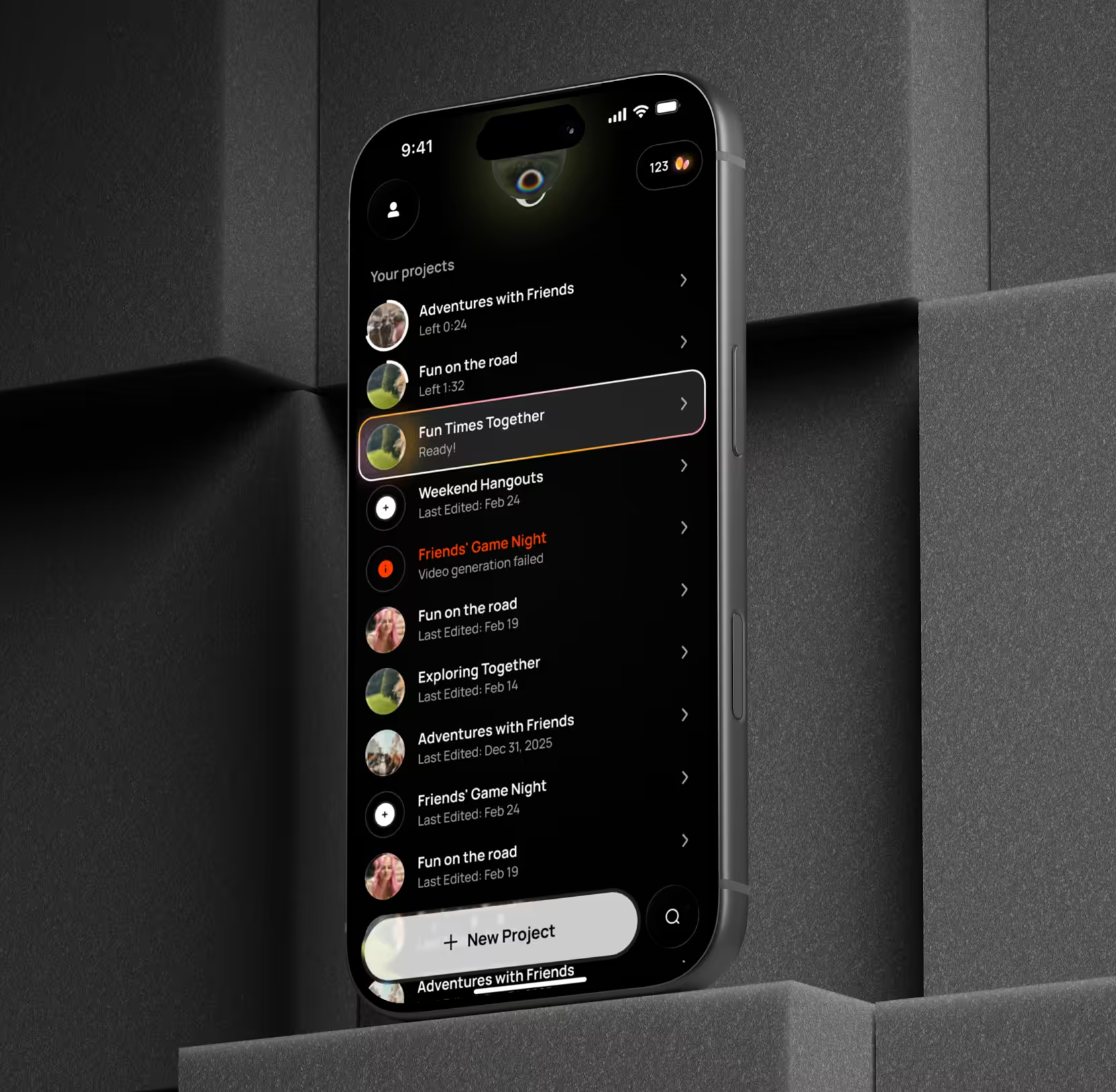
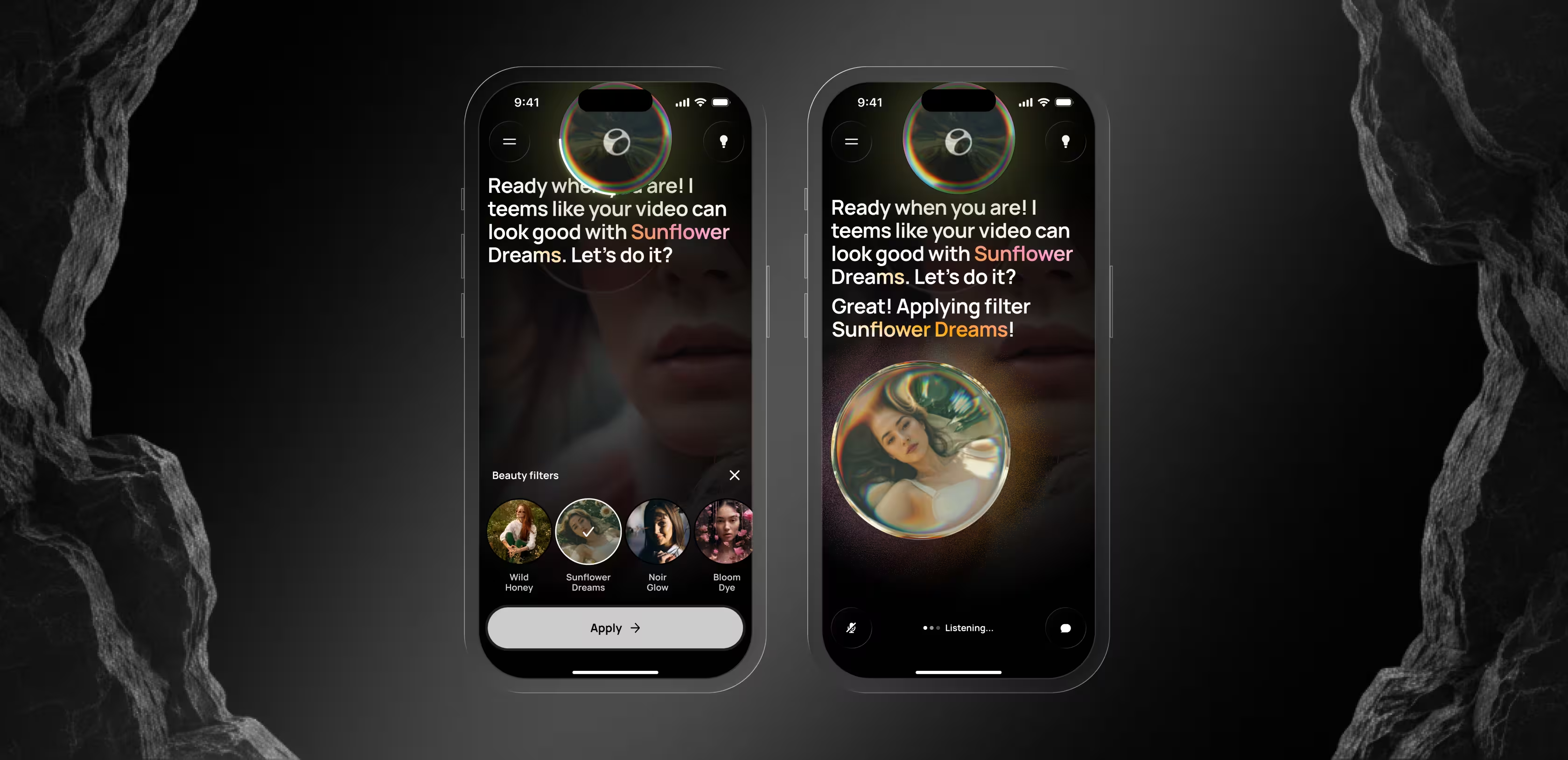
Elva is an AI video editor app for mobile — a voice-first product that produces finished, social-ready clips from raw camera-roll footage without a single manual edit. Users speak a request, and she handles the rest: selecting the best scenes, cutting to rhythm, layering music, and matching a mood on her own.
The opportunity was clear. Phones capture hours of travel, family, and behind-the-scenes footage every week, yet the vast majority of it never leaves the camera roll. Conventional editors, built around timelines, layers, and dozens of taps per cut, demand a learning curve that kills the output long before it gets shared. Elva set out to replace the paradigm with a fully agentic experience: tell her what you want, and she delivers.
In short: a product designed to remove editing altogether needed a design system that made 'zero taps' feel trustworthy, expressive, and monetizable from the first second.
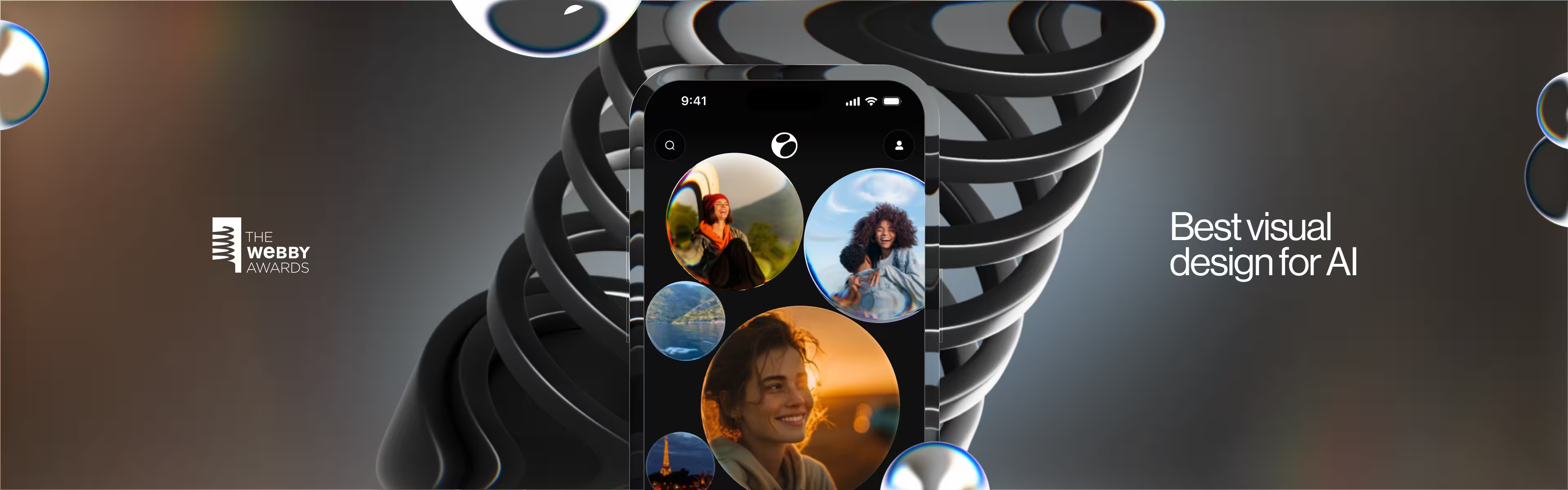
That’s where Lazarev.agency came in. Our mandate was end-to-end AI video editor app design — brand, UX, UI, onboarding, and monetization — shipped as one coherent launch package. The work went on to take home the Webby for Best Visual UI in AI.
The Project’s
Discovery Phase
Built a brand identity to give the AI a personality users want to talk to
Elva is not a tool. She is a collaborator — and the brand system had to make that obvious the moment someone lands on the App Store listing.
We developed her full visual identity from the ground up: the signature blob persona serving as the AI’s face, a vibrant color palette engineered to stand out in a crowded app store, typography that reads as modern and friendly, and a motion language carrying the personality consistently across every touchpoint. The brand feels alive because Elva herself is meant to feel alive. The visual system does the first round of selling long before a user ever presses record.
We won. Lazarev.agency takes the Webby for best visual UI in AI
Designed an onboarding funnel that converts App Store installs to active users
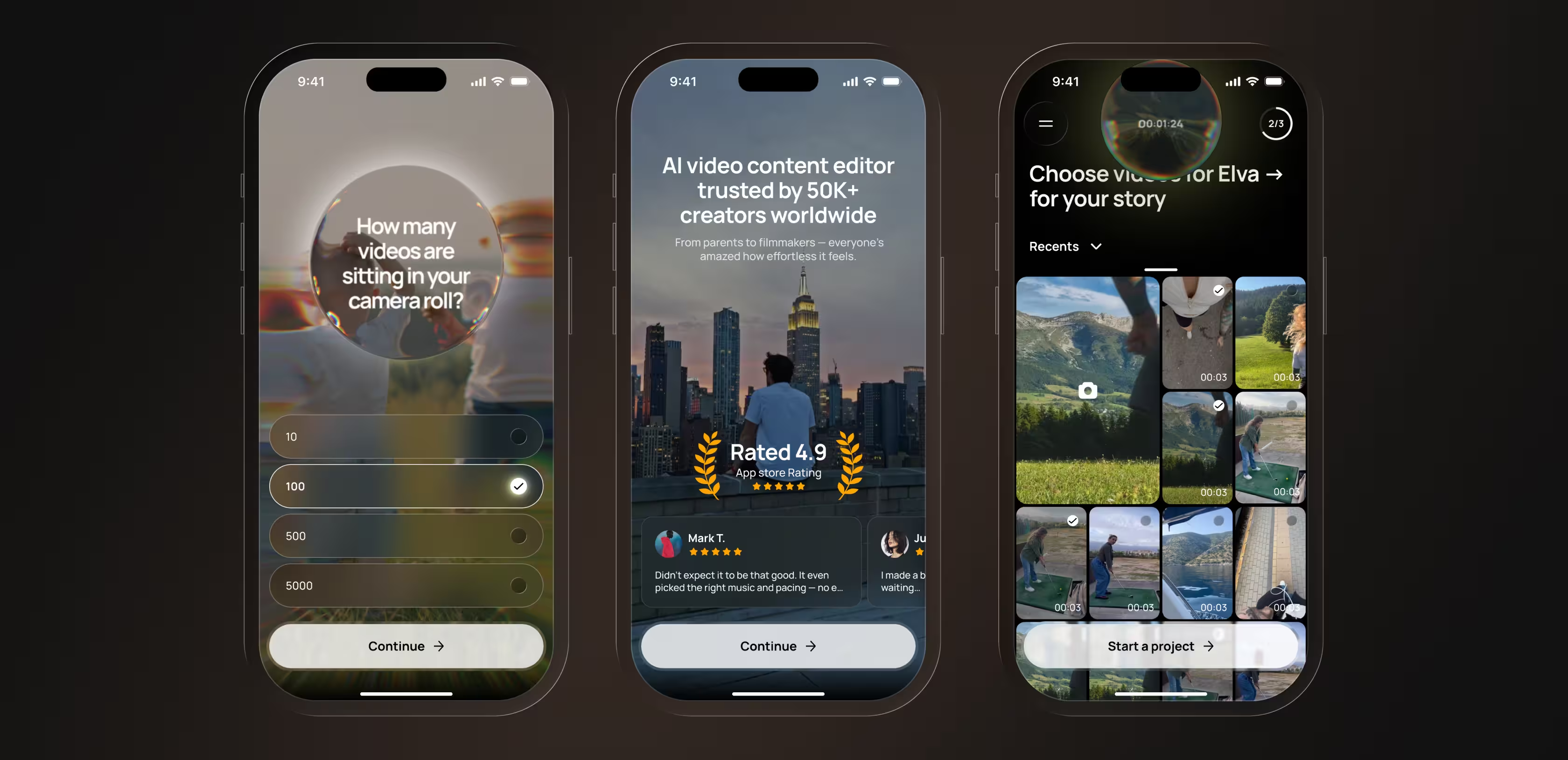
We built a conversion-optimized onboarding flow that bridges App Store discovery and the personalized in-app experience. At its core is a personalization quiz that does two jobs at once: on the surface, it collects preferences to tailor Elva’s first output; beneath that, each question is written to surface the cost of inaction. 'How many unused videos are sitting on your phone right now? Hundreds? That’s a lot of memories going unseen.' By the time users finish the quiz, they already feel the gap between what they’ve captured and what they’ve shared.
Around the quiz, we layered trust factors, functionality previews, and a clear 'how it works' sequence, reducing drop-off at every step on the way to the first generated clip.
Gave the AI a face — designed Elva’s expressive persona
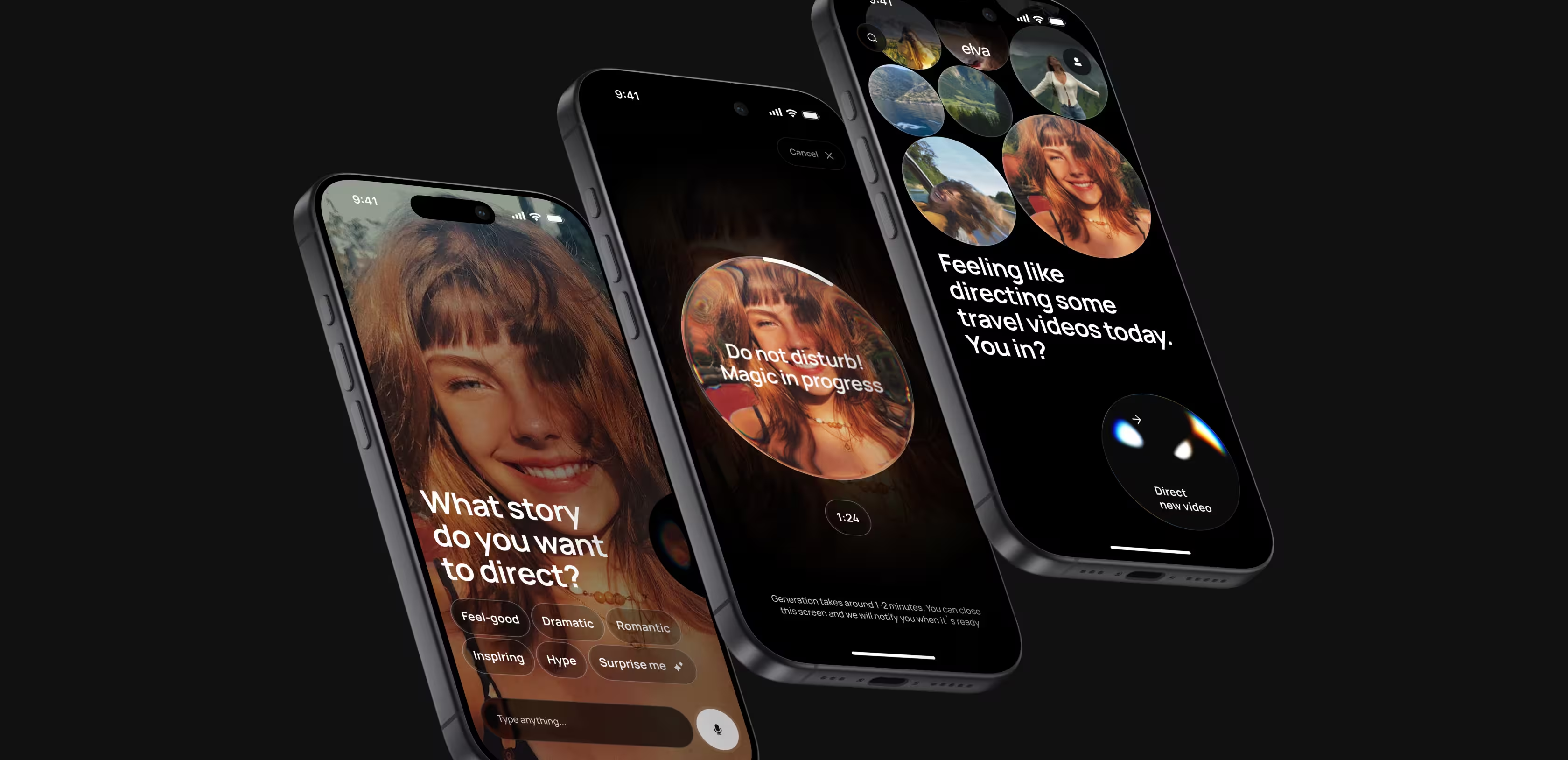
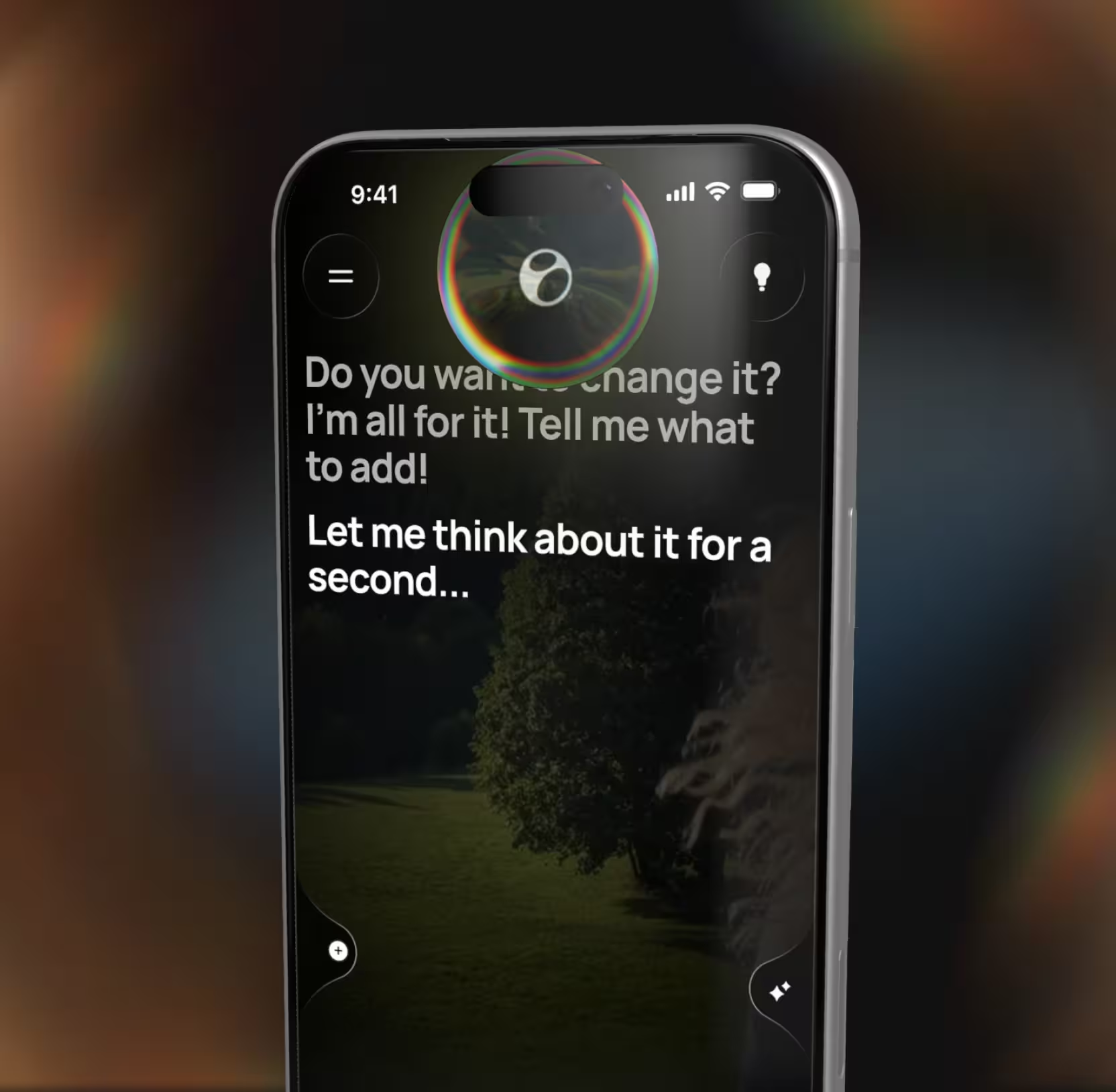
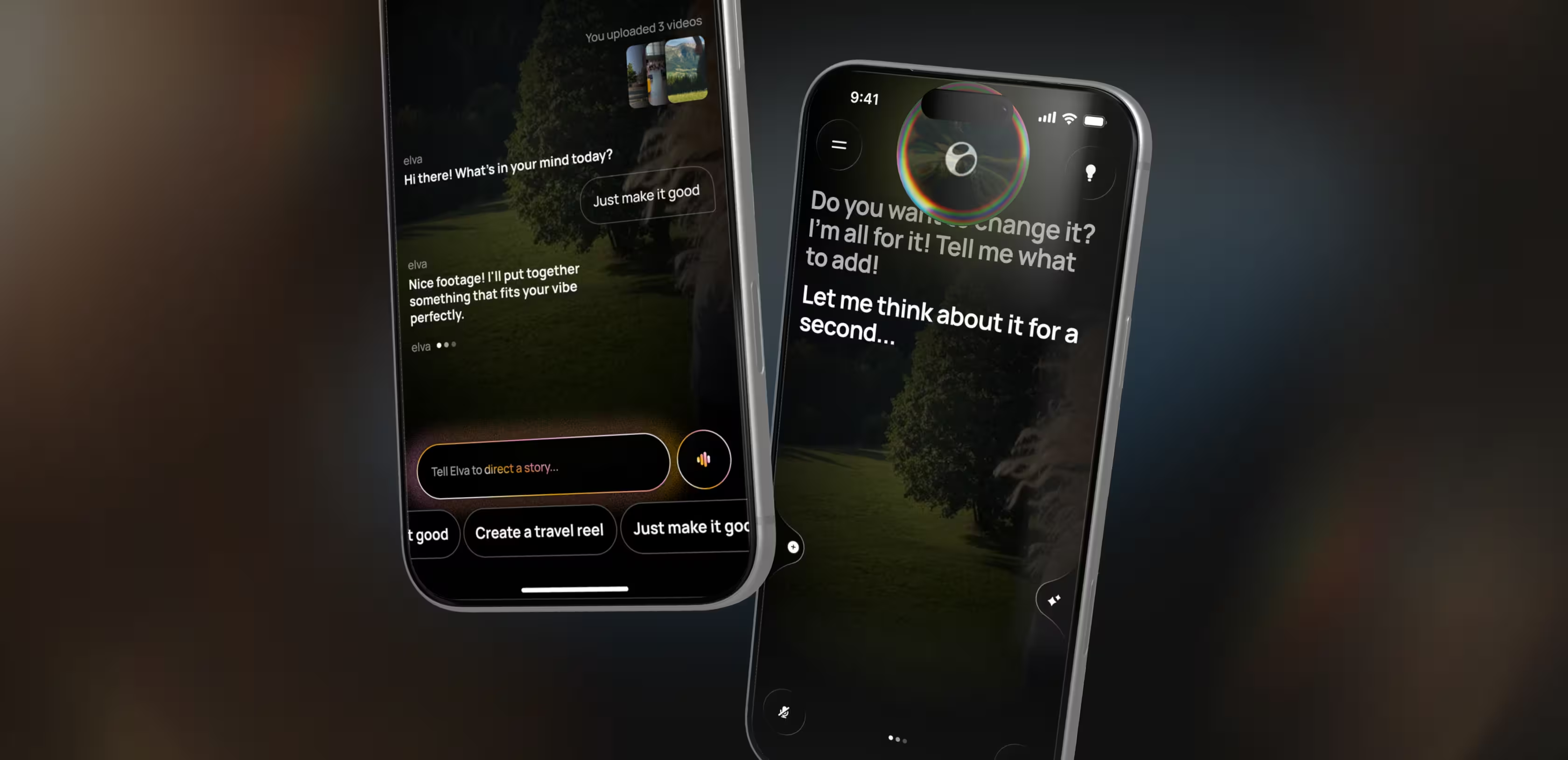
Inside the app, Elva comes alive as an expressive blob — the visual interface for everything the model is doing behind the scenes. Processing states, emotions, and capabilities all communicate through her motion and color.
We designed her complete behavioral language: how she greets users on first launch, how she responds to an editing request, how she shows progress while generating a video, and how she celebrates the final result. Every micro-interaction reinforces the feeling of collaborating with a creative partner who understands your vision.
Made voice the only interface — zero taps, zero timelines
Conventional video editors ask users to learn a tool. Elva asks them to express a desire. We built the entire interaction model around voice.
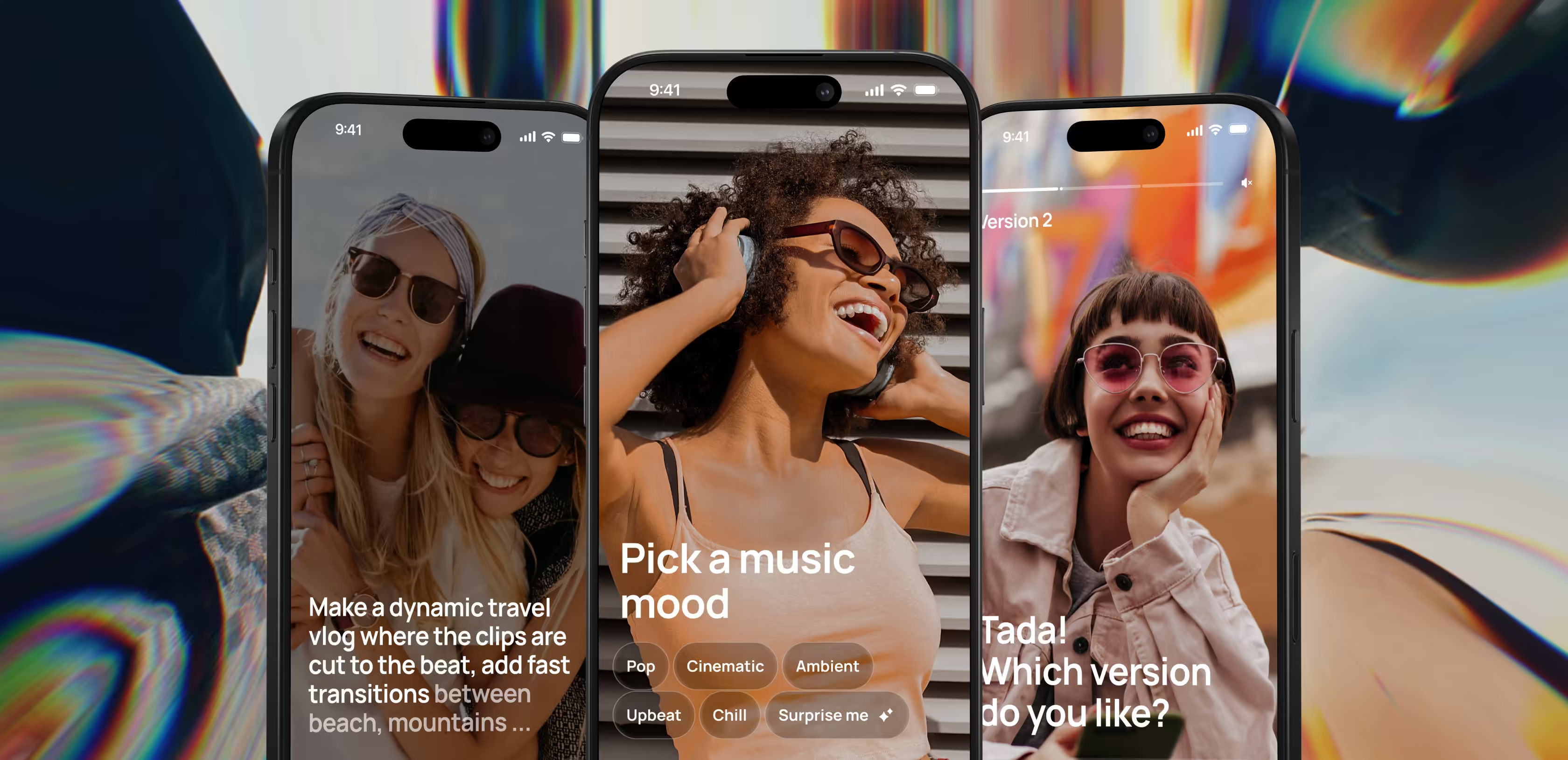
Users say 'make a travel reel from last weekend' or 'put together something fun from the kids’ birthday,' and Elva handles everything downstream: selecting the best clips, cutting to rhythm, adding music, applying a visual style. No timeline, no layers, no menus.
Behind that simplicity sits a full agentic flow we designed end to end: how Elva interprets open-ended requests, how she asks clarifying questions when intent is ambiguous, how she presents drafts for approval, and how she learns user preferences over time. For users who need a starting point, smart suggestions kick in based on detected content — 'Looks like a beach trip — want a travel reel?' — so the blank-page problem never materializes.
Redesigned the camera as a retention engine bringing users back
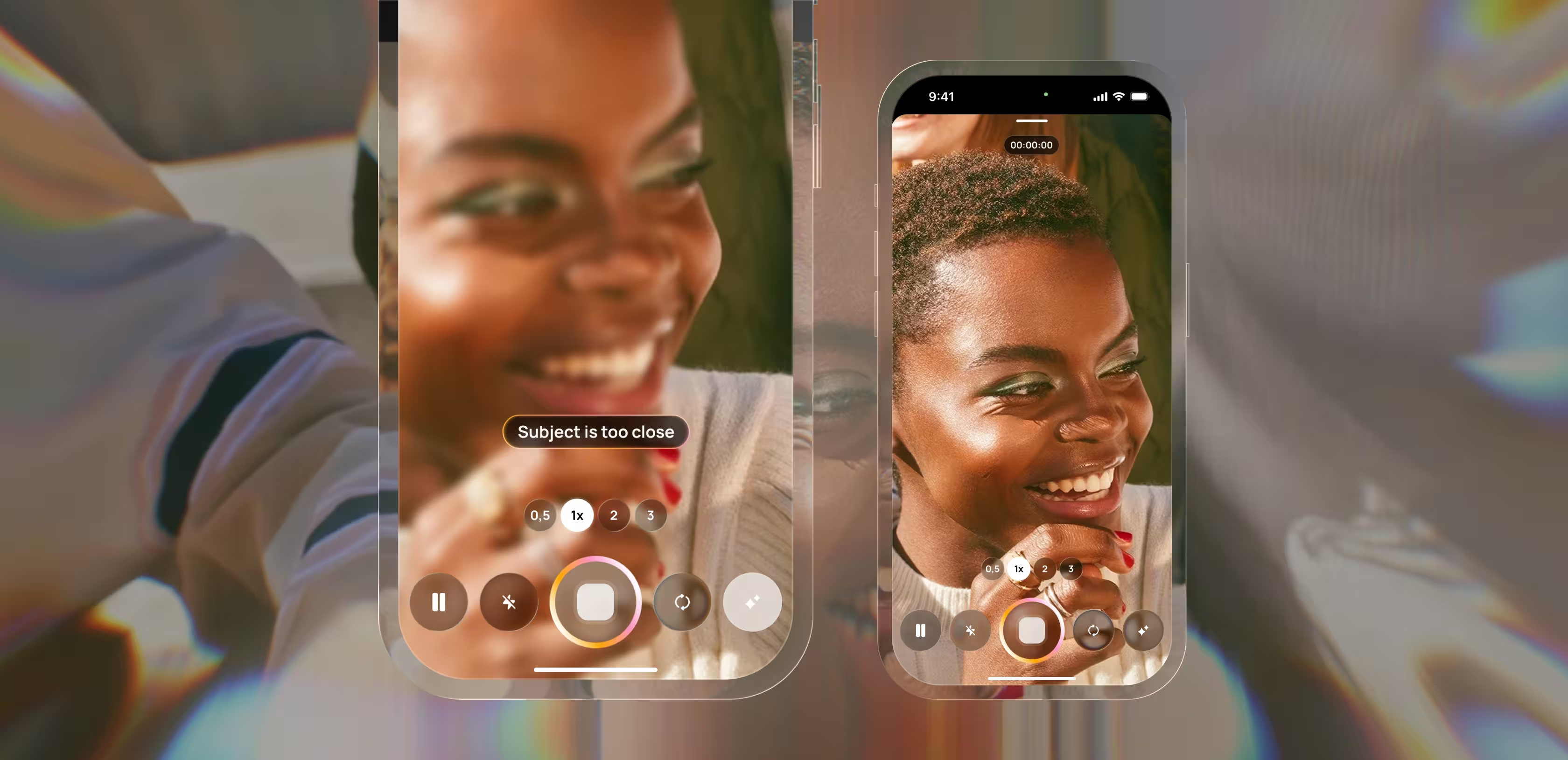
A post-production-only AI can only do so much with weak input. We fixed that upstream by rebuilding camera mode as a creative starting point.
Real-time directional hints overlay the viewfinder as users film: 'Object is too close,' 'Level the horizon,' 'Move dynamically,' 'Film from above.' These aren’t generic tips. They’re context-aware coaching moments that respond to what the camera sees.
The strategic reasoning is circular by design. Better footage means stronger videos. Stronger videos get shared more. More sharing drives more filming. Camera mode makes Elva part of the creative process from the moment a phone points at something — not a post-production tool bolted on at the end.
Built a context-aware storefront that sells by showing value
Hiding premium features behind a settings tab or a blocking paywall is how most apps train users to ignore monetization. We rejected this approach.
Instead, we designed a context-aware storefront that Elva surfaces organically inside the editing flow. When a user’s video could benefit from a premium filter, cinematic transition, or licensed audio track, Elva presents the upgrade at exactly the right moment — and always alongside free alternatives. Every monetization touchpoint is tied directly to a moment where the user can see and feel the value being offered.
AI & ML
Lazarev. agency offers comprehensive digital design services. Discover our range of related expertise supported by impactful case studies.
More Startups Cases
FAQ
What does end-to-end AI video editor app design include?
End-to-end AI video editor app design covers every layer a consumer AI video product needs to launch and convert: brand identity and AI persona, App Store creative and onboarding funnel, the full in-app UX and UI, the agentic interaction model (voice, suggestions, fallbacks), and the monetization system. For Elva, Lazarev.agency delivered all of these as one connected system rather than as separate workstreams, which is what allows the product to feel coherent from ad impression to paid upgrade.
How long does it take to design and launch an AI video editor app?
Timelines depend on scope, but a full program — brand, onboarding, in-app experience, and monetization — typically runs over several months of focused work, with phased deliveries so the product team can test and iterate. At Lazarev.agency we sequence deliverables around the go-to-market path: brand and App Store assets first, then the activation funnel, then the agentic in-app experience, then monetization.
How do you reduce onboarding drop-off in a mobile AI app?
The biggest lever is using the first sixty seconds to make the user feel the cost of inaction, not to explain the product. For Elva, we paired a personalization quiz with FOMO-style prompts, trust signals, and a 'how it works' sequence before the first generated clip. This replaces a typical install-and-hope flow with a funnel earning engagement screen by screen.
What is the right way to monetize an AI-powered video app?
Hide the storefront and users ignore it; gate the experience and they churn. The middle path is a context-aware storefront — premium features surface inside the editing flow, at the exact moment they add value, and always alongside free alternatives. For Elva, this model lets every monetization touchpoint double as a product demo, which raises conversion and preserves trust.
How do you design a voice-first AI experience so users trust it?
Trust in a voice-first product is earned through four design moves: the AI has a visible persona that communicates state; it asks clarifying questions instead of guessing silently; it presents drafts for approval before committing; and it learns preferences visibly over time. Elva’s agentic flow was built around these moves so first-time users understand what she is doing and why.
What makes AI video editor app design different from traditional mobile app design?
Traditional mobile design assumes the user drives the product through taps on a predictable interface. AI video editor app design flips that assumption: the user expresses intent, and the product reasons, selects, and produces. The design brief shifts from 'reduce friction in a known flow' to 'shape reasoning, reduce ambiguity, and signal trust' — which is why persona design, fallback UX, and draft-and-approve patterns carry more weight than conventional nav and screens.
How does camera design affect retention in an AI video app?
In a voice-first AI video app, the camera is the top of the content funnel. Better input produces better output, and better output drives sharing and return usage. Elva’s camera mode layers real-time coaching hints over the viewfinder so users capture stronger raw material, which lifts the quality of every downstream generation and creates a retention loop back to the app.
Why work with Lazarev.agency for AI video editor app design?
Lazarev.agency designs AI products as full systems: brand, activation, in-app UX, and monetization treated as one decision, not four. For founders shipping a market-disruptive AI app like Elva, that coherence is what gets a pilot to launch readiness — and what gets decision-makers, investors, and App Store users to trust the experience fast enough to buy in.