
Skip to content
Let's talk
Home
News & Articles
Research & strategy
How to implement UX testing in your design workflow backed by a real case study

Research & strategy

September 18, 2025

How to implement UX testing in your design workflow backed by a real case study

Ostap Oshurko
Ostap Oshurko

Lead Designer

8
min read
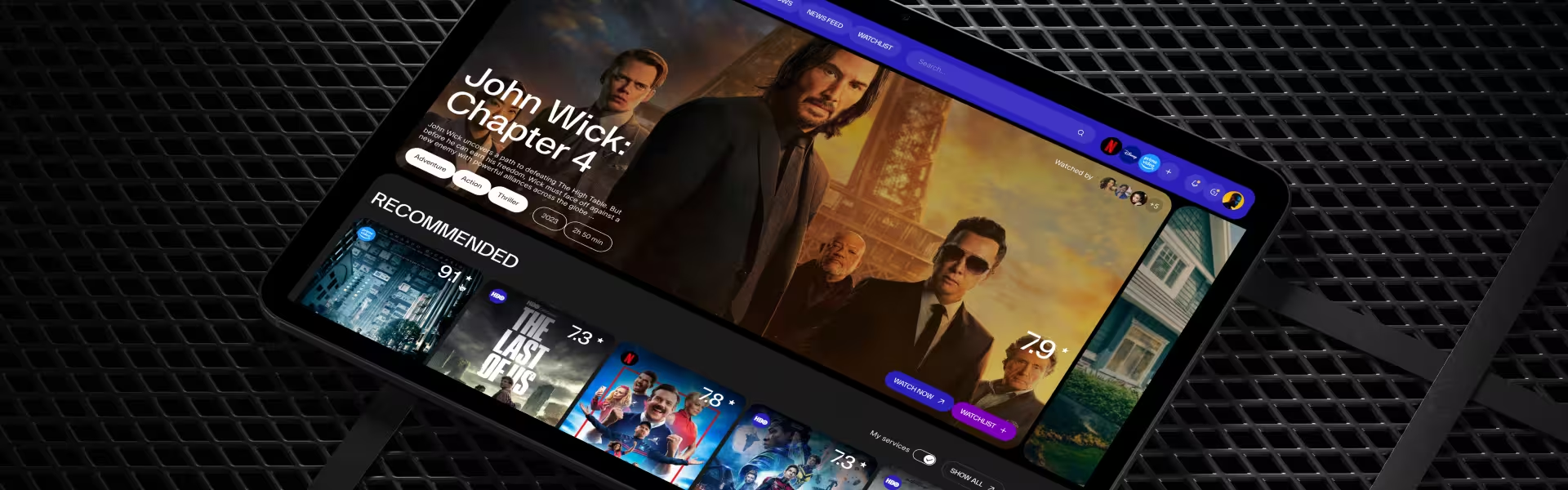
Tablet screen displaying modern streaming platform UI with John Wick: Chapter 4 featured and recommended movies section

Building a new product without UX testing is like adding yet another streaming app to an already overcrowded home screen — no one notices until something breaks.

Streamingbar, a startup determined to become a single, social hub for film lovers, felt that pain early: users bounced between Netflix, Hulu, and Amazon while the founders juggled 164 feature ideas and no data to show which ones mattered.
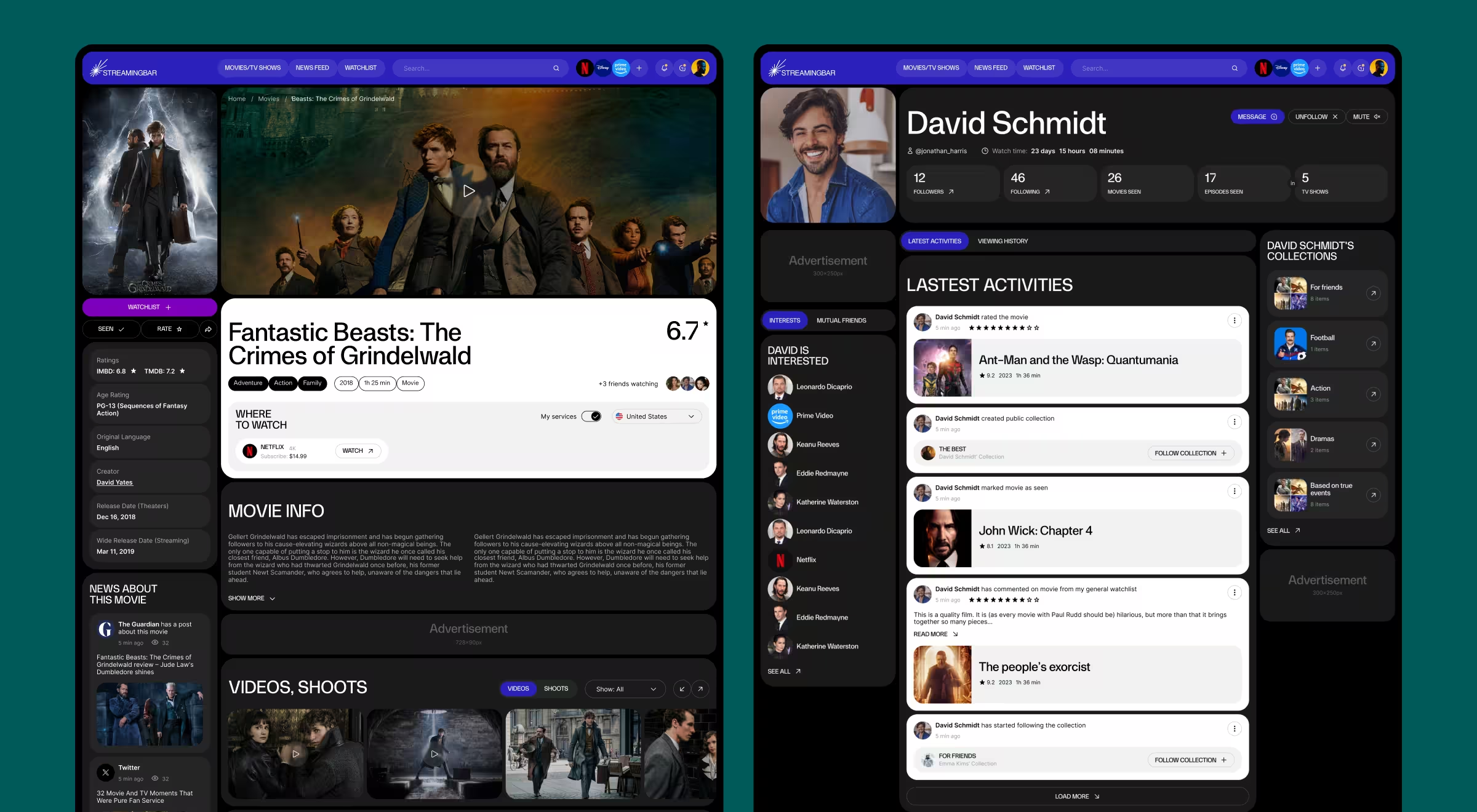
Streaming platform UI mockup showing movie detail page for Fantastic Beasts: The Crimes of Grindelwald and user profile activity feed with ratings, collections, and watch history

Rather than shipping on guesswork, they turned to Lazarev.agency for a focused website usability testing initiative. Discovery interviews and competitor audits surfaced the real blockers; structured tests trimmed the backlog to ten evidence‑backed hypotheses and spotlighted four high‑impact features: a unified search, lightweight social feed, personal stats dashboard, and cohesive brand language. Clear priorities replaced noise, letting the team design with confidence and avoid costly rework.

This guide shows how to improve your product website usability testing fast, using the same playbook.

Key takeaways

  • Discovery first. For Streamingbar, 20 user interviews, a 6‑competitor audit, and 40 must‑have items produced 10 testable ideas — trimming 154 low‑value concepts. Your product will include a unique approach still with the discovery step first.
  • Decision‑driven tests. Each hypothesis had a metric and “kill/keep/scale” rule, so results flowed straight into backlog triage.
  • The tool stack grows with maturity. Start with lightweight remote usability testing and scale to eye‑tracking or split‑URL experiments as culture shifts from opinion to evidence.
  • Common pitfalls. Testing too late, wrong KPIs, bias recruiting, ignoring synthesis — avoid them and you will feel the lift in user satisfaction.

Move from assumption to hypothesis

Early user research mapped user pain points: app‑hopping to find films, social FOMO, and endless scroll frustration. Nielsen Norman Group reminds us that the earlier the research, the more impact the findings will have on your product.

See how the raw inputs distilled into an actionable test plan for Streamingbar:

Discovery data Outcome
20 interview transcripts Primary tasks and blockers
6 competitor teardowns Gap matrix
40 stakeholder “must-haves” Feasibility filter
164 raw ideas → 10 hypotheses Actionable test plan
“Evidence beats intuition; slicing ideas to ten gave engineering one clear sprint.”
{{Oleksandr Koshytskyi}}

Design a lean test plan

Usability testing methods vary, but Streamingbar kept the plan tight:

Element Example Why it matters
Primary metric “Find-and-play time ≤ 45 s” Aligns team on success
Test participants Binge-watchers who share lists Resembles real users
Task script Add a film to watchlist & start play Repeats across sessions
Exit rule Redesign if > 25% drop-offs Automates next step

A concise usability testing script reduces moderator bias and lets teams compare quantitative data across cycles.

User testing platforms stack

Choose user testing platforms that match budget and risk:

Goal In-person / remote testing Price range
Fast feedback on flows Maze, Lookback (unmoderated usability testing tools) $0–$450 mo
Deep diagnostics Moderated sessions + eye-tracker in a usability lab $1 500 setup
Continuous analytics Hotjar, Amplitude heat maps $39–$999 mo

🔍 Pro tip: Start with remote user testing: no travel, wider target users, quick iteration.

Usability testing tools to start in 14 days

Need a quick launch path? Use the timeline below to see how a small team can plan, run, and iterate a round of UX testing in just two weeks, without pausing the main development sprint.

Day Action Owner Tool
1–2 Frame metrics & hypotheses PM + Design Lead Google Docs
3–4 Build click prototype UX designer Figma
5–7 Recruit first 8–12 testers Research ops Typeform + CRM blast
8–9 Launch remote usability testing Researcher Maze (task timers)
10 Synthesize & rank issues Whole squad Airtable
11–12 Patch prototype UX + Dev Figma
13–14 Re-test high-risk task PM Lookback (moderated testing)

🔍 Pro tip: Consider partnering with expert usability testing companies for accurate assessment.

Usability testing examples from Streamingbar

Streamingbar killed flashy but wasteful ideas like AR posters and live co‑watch chat, banking on four winning bets instead:

  1. Unified cross‑platform search
  2. Lightweight social feed
  3. Personal stats dashboard
  4. Cohesive brand identity

Result: Usability sessions showed that real users completed the target “find‑and‑play” task confidently; qualitative notes flagged only copy tweaks, no flow overhauls — evidence that users interact smoothly before code freeze.

Common UX testing mistakes to avoid

Even seasoned teams slip up when they conduct usability testing under deadline pressure. Use the cheat sheet below as a reality‑filter before every research cycle; catching these pitfalls early will save budget, credibility, and most importantly — user satisfaction.

  1. Testing after dev freeze fixes morph into costly tech debt once code is merged.
  2. Wrong KPIs: Vanity clicks ≠ positive user experience; track task‑completion, churn, and revenue impact instead.
  3. One‑and‑done unmoderated usability testing — always pair scale with depth; qualitative sessions reveal why users struggle.
  4. Homogeneous panels — recruit diverse test participants to reflect both mobile and desktop target users.
  5. Skipping synthesis — raw numerical data is just noise if you don’t prioritise issues and assign owners.

Address these five traps, and every round of UX testing becomes a compounding asset in your product development lifecycle.
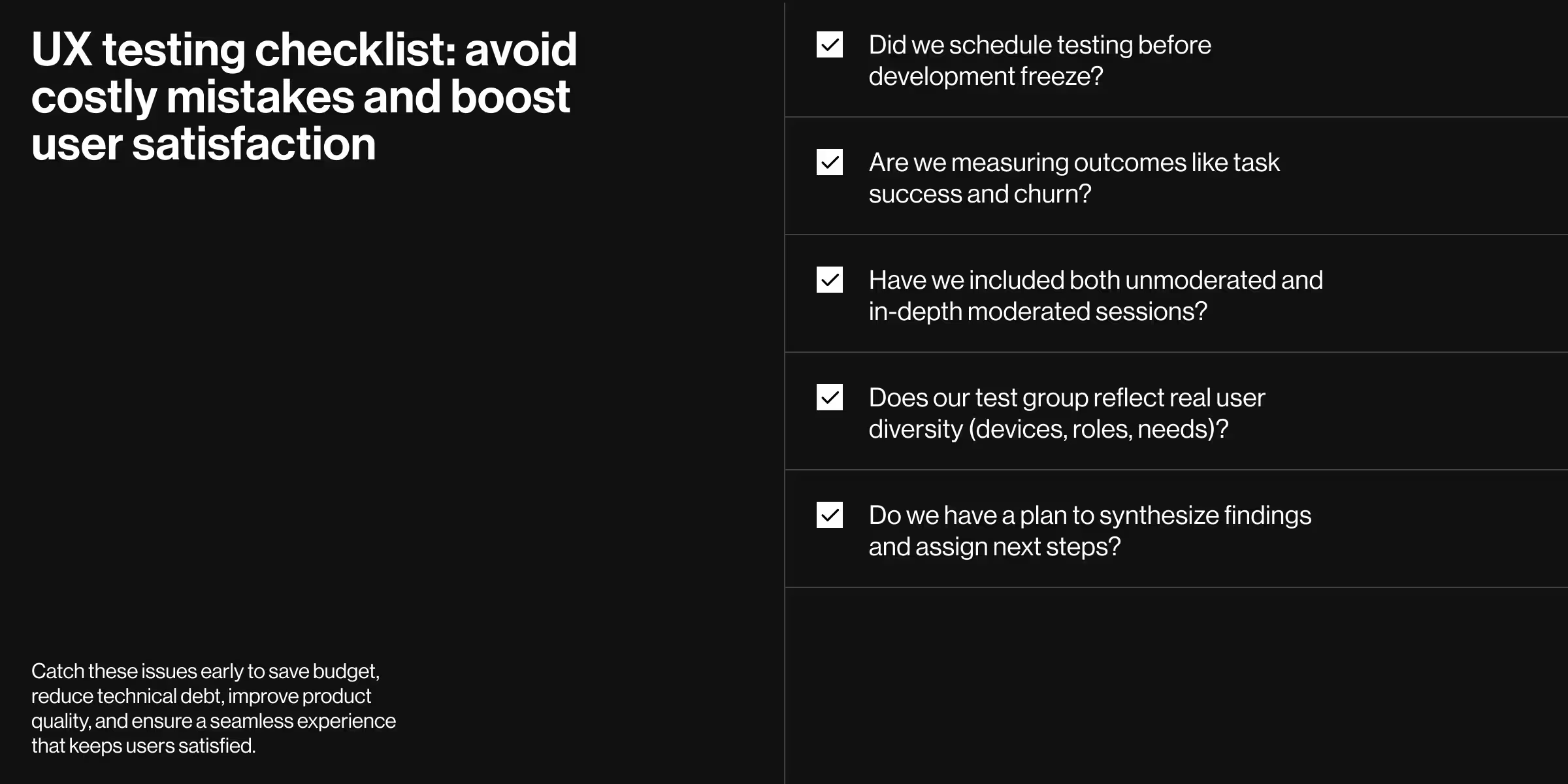
UX testing checklist infographic with five key questions to improve product quality, reduce technical debt, and boost user satisfaction

❓ Want a reality check on what happens when teams skip early research? Read our deep dive on the risks of skipping UX research.

UX testing maturity model

The matrix below lets the product team benchmark its current practice and spot the next, realistic upgrade, before processes stall or budgets dry up.

Stage Habit Typical cadence Data collected
Starter One flow per quarter Sprint + retro Clicks and comments
Scaler Test every release Fortnight Funnels & rage-clicks
Culture Always-on Continuous Cohort analyses, revenue links

🔍 Pro tip: Climb one rung per quarter; any slower and usability issues hide in the backlog.

Where to learn more usability testing methods

For a fast overview of nearly every test format in the playbook, watch the “101 types of UX testing & the benefits” video from Maze — it’s a concise 12‑minute refresher you can share with the whole product team. In short:

  • Qualitative usability testing focuses on depth — think five in person usability testing sessions with think‑aloud tasks.
  • Quantitative usability testing focuses on scale — hundreds of remote usability recordings to spot patterns.

Blend both to cover blind spots and validate that users struggle less with every deployment.

Turn metrics into momentum

Disciplined UX testing shrinks risk, boosts user satisfaction, and accelerates the product development lifecycle.

Curious how these frameworks could reshape your roadmap? Lazarev.agency’s UX research team will conduct usability testing, turn user feedback into actionable insights, and wire evidence into your next sprint.

Explore our services or book a discovery call — let’s translate your data into design wins!

Table of Contents

Found this useful? Share it forward

Prefer us on Google

Frequently asked questions

Common questions
about this topic

How many participants do you need for one round of UX testing?

For qualitative testing, 5–12 participants per round are enough to surface the main usability issues in a flow. The 14-day plan above recruits 8–12 testers, which covers a few user segments, such as mobile and desktop users. Quantitative testing needs far larger samples, often hundreds of remote sessions, because it measures patterns.

How long does one round of UX testing take?

A focused round takes about two weeks: two days to frame metrics and hypotheses, two to build the prototype, three to recruit, two to run sessions, one to synthesize, two to patch, and two to re-test the riskiest task. A small team can run it alongside the main development sprint.

Which UX test fits your product stage?

  • Concept: User interviews and moderated tests on a clickable prototype show whether the idea solves a real problem.
  • Before launch: Unmoderated remote tests with task timers, in tools such as Maze, check whether users can finish key tasks without help.
  • After launch: Heatmaps and funnel analytics in Hotjar or Amplitude show where real users drop off.
  • Mature product: Eye-tracking in a usability lab and split-URL experiments diagnose fine-grained problems.

The guide to UX research methods covers each method in detail.

Should you start with moderated or unmoderated testing?

Start with moderated sessions when you need to understand why users struggle, because a facilitator can ask follow-up questions in the moment. Switch to unmoderated testing once you know which tasks to measure and want results from more users, faster. Pair the two in each cycle: a single unmoderated round shows where users fail but not why.

How do you decide what to fix after a usability test?

Set the decision rule before the test starts. Each hypothesis gets one metric and a kill, keep, or scale threshold, such as “redesign if more than 25% of participants drop off.” Results then feed straight into backlog triage. This is how Streamingbar cut 164 feature ideas to 10 testable hypotheses and four features: unified search, a lightweight social feed, a personal stats dashboard, and a cohesive brand identity.

Should you run UX testing in-house or bring in a partner?

Run it in-house when you have a clear hypothesis, a few hours a week from a researcher, and access to your own users. Bring in a partner when the stakes are high, such as before a major release or a funding round, or when your team needs help with recruitment, unbiased moderation, or synthesis. If you don’t yet know which flows to test, start with a UX audit to find them.

Keep reading

Related articles you
might find useful

Research & strategy

May 9, 2026

UX research methods reviewed: how to choose the right one in 2026

Ostap Oshurko
Ostap Oshurko

Lead Designer

Abstract 3D composition of orange and yellow geometric blocks symbolizing structure and balance in web design

Research & strategy

February 10, 2026

Design strategy explained: how to align design decisions with business goals

Anna Demianenko
Anna Demianenko

Lead Designer

Abstract stacked UI layers shown as soft, rounded cards in a minimal 3D layout

Research & strategy

January 29, 2026

What is a UX expert review and how to use it to fix product friction fast?

Oleksandr Holovko
Oleksandr Holovko

Product Lead at Lazarev.agency

Minimalist 3D interface elements on a light textured surface, centered on a raised square tile with a magnifying glass icon, surrounded by softly rounded translucent and metallic tiles suggesting search, discovery, or analysis
Ostap Oshurko
Ostap Oshurko

Lead Designer

Oleksandr Koshytskyi

Lead Designer

Oleksandr Holovko
Oleksandr Holovko

Product Lead at Lazarev.agency

Kyle Casterline
Kyle Casterline

Co-Founder / CTO at Barricade AI

Kseniia Shyshkova
Kseniia Shyshkova

Head of Project Management

Kirill Lazarev
Kirill Lazarev

CEO and Founder

Danylo Dubrovsky
Danylo Dubrovsky

Senior UX/UI designer

Anna Demianenko
Anna Demianenko

Lead Designer

Andrey Gaday
Andrey Gaday

Head Of Design Department

Anastasiia Balakonenko

Lead Designer

Black background with a subtle pattern of tiny evenly spaced gray dots forming concentric oval shapes radiating from the center.

Let's make AI your strength

Let's talk about what you're building

“Through a detailed understanding of the client’s platform, Lazarev. was able to create a clean and intuitive UI/UX design that ticked all the boxes. The team was receptive to all requirements and requests and adapted well to timeline changes. They produced accurate mockups at every iterative stage.”

Smiling man with beard and short hair in a round black-and-white photo.
Nick Chapman

Founder at Pika AI

Attach your brief in PDF or DOC. Skip anything under NDA.
Uploading...
fileuploaded.jpg
Upload failed. Max size for files is 10 MB.
Send

We use your details to respond to you. Our partner Snitcher may also receive what you type into this form, even if you don't send it, to identify you and your company. You can opt out in Your Privacy Choices. See Privacy Policy

Thank you! Your submission has been received!
Oops! Something went wrong while submitting the form.