Features are cheap to sketch but can be pretty expensive to build.
Design-driven development (DDD), a variant of design-led product development, helps you save time and money by catching and skipping weak ideas before a single line of code is even written.
The backlog stays focused on adoption, and your next release will land smoothly with users who’ll actually stay.
Key takeaways
- Talk to users and make a simple clickable sketch. Define the goal, main steps, and scope.
- Make a short review with design and engineering, then a quick plan clean-up. Everyone stays aligned on what’s next.
- Use adoption, task completion and retention to decide what to keep, fix, or drop.
- Run design-driven development from planning to release, align it to business goals, and make designers and developers own the outcome together.
What design-driven development looks like in practice
Teams that test early, learn together, and keep design in the loop build faster and smarter. Independent research proves that collaboration and continuous testing help you deliver the right solution.
Сontinuous testing and cross-functional collaboration can raise the odds of shipping the right solution, and how to track UX with the HEART framework (Happiness, Engagement, Adoption, Retention, Task success), originated from Google’s UX Research team.
In practice, design-driven development keeps discovery, design, and engineering tightly coupled so teams learn before they build.
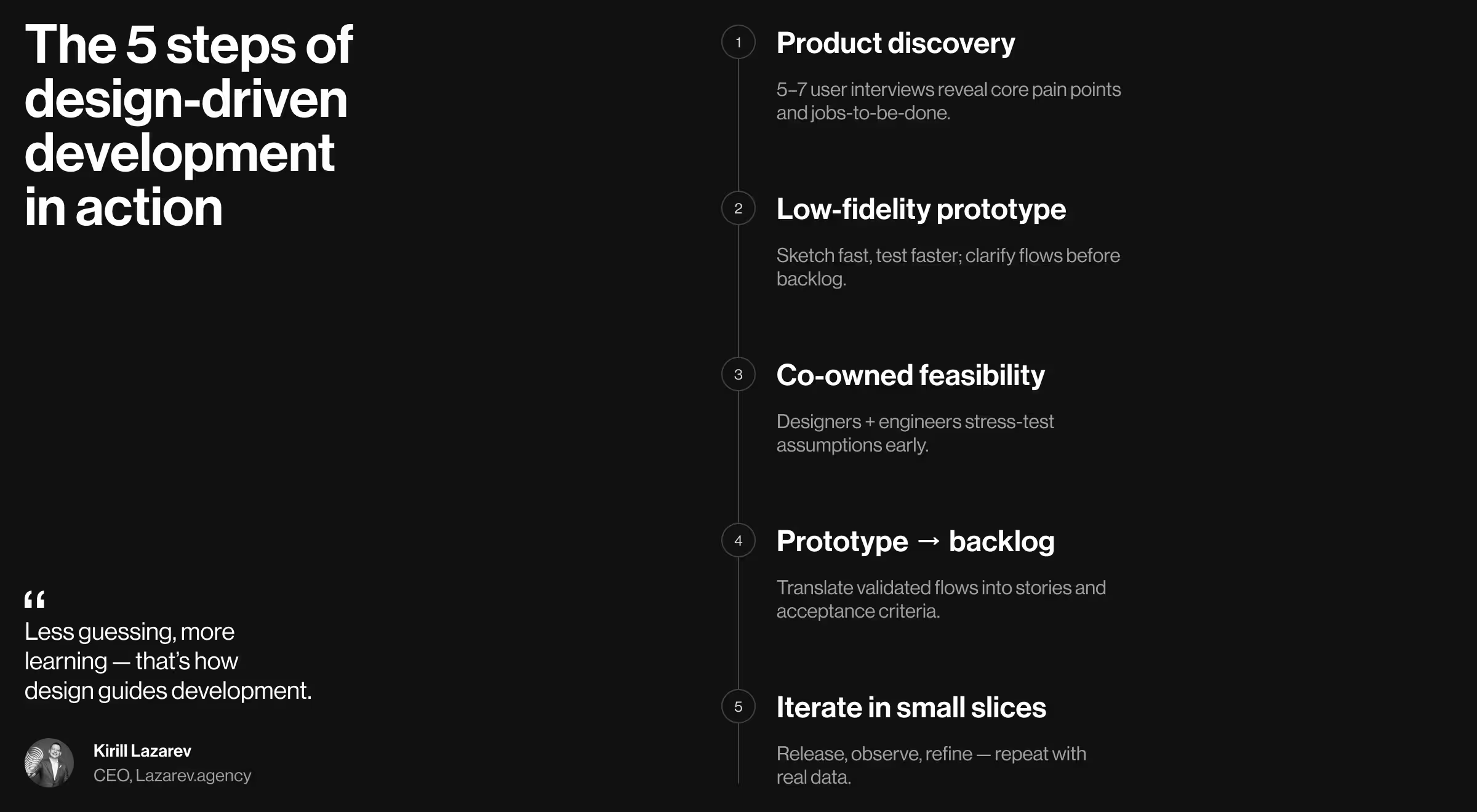
1. Product discovery that informs code fast
Start with targeted user research to uncover pain points and jobs-to-be-done. Even 5–7 well-selected interviews reveal patterns your development team can act on. Convert insights into user stories and a draft development plan. Keep it lean, the goal is to de-risk.
2. Low-fidelity prototype > premature backlog
Create a clickable, low-fidelity prototype that expresses critical user flows. Put it in front of real users, collect user feedback, and revise. This step exposes gaps in requirements, clarifies edge cases, and prevents time-consuming refactors later. It also helps the product development team reach a shared, holistic view of the solution.
3. Designers and developers co-own feasibility
During the design stage, invite engineers to stress-test assumptions: performance, data model, and constraints. Quick code spikes can validate risky interactions. This cross-functional collaboration catches complexity early and reduces project costs that come from late surprises.
4. From prototype to backlog with clarity
Translate validated flows into a development process your team will follow:
- user stories tied to business goals and target audience segments,
- acceptance criteria aligned with the final result users expect,
- technical notes where needed (APIs, edge cases, data limits),
- a prioritized scope that keeps the first release realistic.
5. Iterate in small, testable slices
As features ship, keep the feedback loop tight. Observe real users, compare outcomes to your goals, and refine. When new ideas appear, prototype them before they become “urgent” tickets. That keeps building features intentional, not reactive.
💡 Pro tip: Add a 15-minute feasibility review to every design crit. Designers present intent and constraints; engineers flag hidden costs, sequence work, and suggest simpler paths to the same end-user outcome. You’ll integrate design without slowing the team and save money on avoidable rework.
Implementing design-driven development in your team
Implementing design-driven development requires lightweight rituals that align design, product, and engineering around validated decisions.
1. Make it a ritual
- Weekly design crit (30–45 min). Review flows, user interface decisions, and edge cases.
- Feasibility sync (15 min). The development team challenges risky patterns, proposes alternatives, and agrees on effort.
- Backlog shaping (30 min). Convert validated designs into user stories and trim scope until each increment is shippable.
2. Document decisions where people work
Link the UX prototype to user stories. Add short rationale notes to keep teams on the same page and protect the development plan from scope creep.
3. Track for learning
Define a few product-level metrics before kick-off:
- activation rate for a new feature,
- task success in a critical flow,
- or time-to-first-value.
Add one qualitative channel (micro-surveys or research calls) to capture user feedback you can confidently act on.
4. Scale sensibly
As the company grows, codify patterns in a design system. This helps developers reuse components, keeps code clean, and speeds up creating new features without fragmenting the user interface.
Measuring success with product-level UX metrics
Use the HEART framework to track how the solution performs for users, not just how many tickets were closed. Pair it with business KPIs. Your team can connect UX progress directly to revenue and churn reduction.
For example:
- Adoption: % of target users who tried the feature in 14 days
- Retention: repeat usage at 30/60/90 days
- Task success: completion rate and time-on-task for a core flow
Pair these with business signals (conversion, expansion, support tickets) so the team can connect UX to revenue and costs.
🔎 If you want to go deeper into experience design and product decisions, explore our recent long-form breakdown on framing, pacing, and research in complex systems: “How to create experience design that makes users stay”. For a broader look at methods and case work, see our UX/UI design hub!
Нow to avoid the сommon pitfalls
Most DDD failures come from breaking feedback loops between design and development.
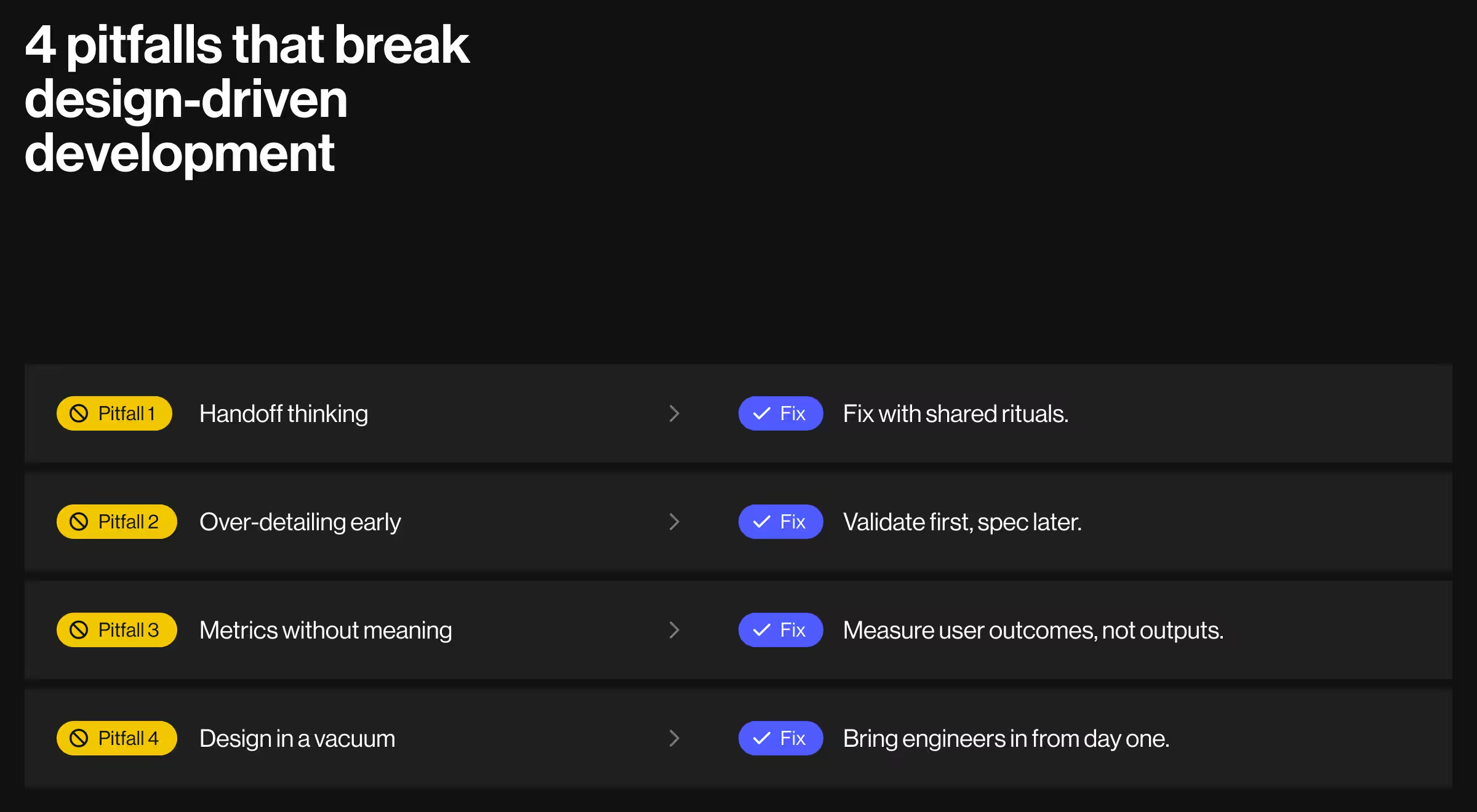
1. Handoff thinking
Don’t miss critical context. Solve it with recurring designer–developer reviews and shared ownership of outcomes.
2. Over-detailing too early
Heavy specs freeze bad assumptions. Keep artifacts light until user feedback confirms direction.
3. Metrics without meaning
Vanity dashboards hide problems. Track a small set tied to user goals and business goals, then adjust as you learn.
4. Design in a vacuum
Bring engineers into workshops and let constraints shape better solutions before they reach code.
Case snapshot: applying design-driven development to a wellness platform
In a wellness SaaS platform from the Lazarev.agency portfolio, design-driven development increased engagement by 75% and retention by 30% by validating UX decisions before engineering.
For WellSet, a digital wellness platform with live and on-demand classes across 20+ evidence-based practices, we used fast discovery and low-fi prototyping to clarify flows, then redesigned the experience around daily engagement and personalization.
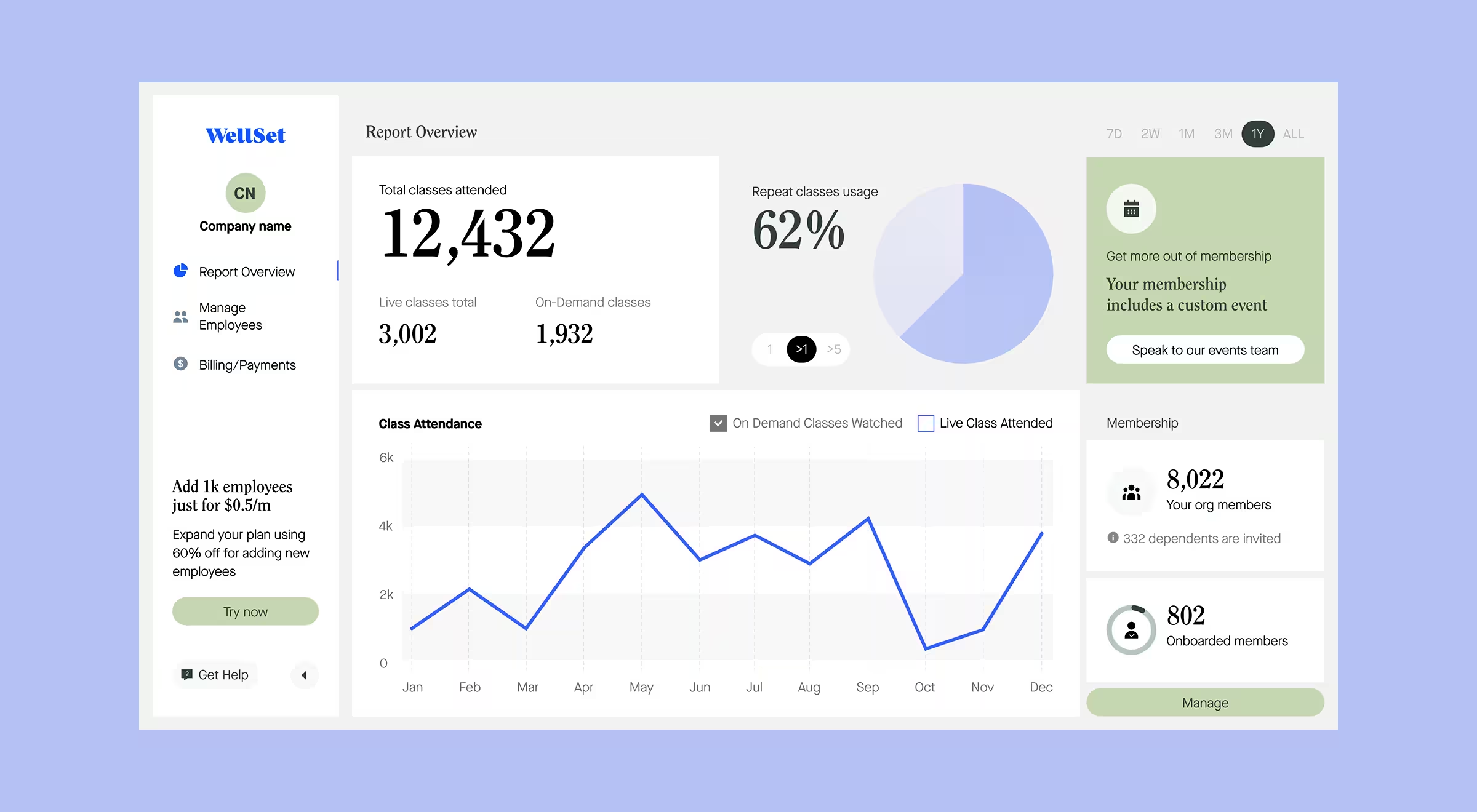
Concrete UI moves turned a passive library into a habit-forming product for both consumers and enterprise subscribers:
- timers for upcoming sessions,
- personalized collections,
- and an always-accessible schedule.
The measurable outcomes based on Lazarev.agency data from 2025:
- +75% engagement,
- +30% retention,
- 500K+ active users,
- and $3.1M+ secured for expansion.
A solid proof that validated design decisions guide development toward adoption.
Let’s apply design-driven development to your roadmap!
Whether you’re planning a relaunch or bringing a new SaaS to market, we’ll help product teams integrate design into the development process so each release drives business results. What’s next:
- Explore our UX/UI design services
- Or let’s talk about digital product design for your next release!