If you want to hire an AI UX designer, here’s the simplest way to think about their role. AI engineers teach the model to think, whereas AI designers teach it not to confuse people — a small distinction with a huge practical impact.
This article shows why strong AI UX design is essential for any business building AI-powered experiences. You’ll see what a great AI UX designer does, how to spot early signs your product is begging for one, and what missteps in the hiring process sabotage otherwise brilliant AI opportunities.
Key takeaways
- The best AI UX designers make intelligence usable. A powerful model means nothing if the interface confuses people. Leading artificial intelligence designers like Lazarev.agency shape reasoning flows and user intent pathways to make AI understandable.
- Better UX means better model performance. When designers guide inputs with smart scaffolding, the model delivers higher-quality outputs.
- Hiring the wrong designer slows down even the best AI teams. Late-stage design involvement or chat-for-everything thinking are the most common reasons for stifled product growth. The right AI UX designer, hired at the architecture stage, is the fix.
What an AI UX designer does
An AI UX designer takes on a lot. They sit at the intersection of UX optimization, product strategy, computer vision, and machine learning — the reason the role is increasingly hired as an AI product designer rather than a generalist UX hire.
Such a broad scope of responsibilities is there for a reason. While AI technology is recrafting how businesses operate, it also raises unprecedented concerns regarding trust and confidentiality. Your product design has to nip these in the bud.
Data insight: According to McKinsey, while 40% of companies see explainability as a key risk in AI adoption, only 17% are actively addressing it. The gap is where most AI products slide downwards and where AI designers can create the difference.
Here’s the honest version of the AI UX designer’s role:
- Clarify intent. They design flows that help users articulate what they want in a way the system understands, be it through language, clicks, files, prompts, or multimodal inputs.
- Guide the behavior of AI systems. They shape how the model behaves inside the product through boundaries, fallbacks, confidence cues, and recovery paths.
- Structure explainability. As highlighted above, explainability in AI tech could be a barrier to adoption. When AI reaches a conclusion, users deserve a breadcrumb trail. Designers lay it out.
- Partner with engineers and PMs. They translate model constraints into UX decisions and mark risks early.
AI UX designer vs. product designer vs. AI engineer: who does what
“You’d never launch a financial product without a compliance specialist. And the same principle holds for AI. Working on an AI-powered design without a professional with a deep understanding of how users perceive machine-generated decisions is a risk no serious team should take.”
{{Anna Demianenko}}
If AI product teams were a band, these three roles wouldn’t be playing the same instrument. AI designers fine tune the interaction, product designers shape the stage, and AI engineers power the sound system.
The table below breaks down who does what and why mixing them up leads to off-key experiences.
🔍 If you’re deciding which role your team actually needs, our breakdown of the difference between a product designer and a UX designer will help, especially when you’re structuring hybrid AI teams where responsibilities overlap.
When to hire an AI UX designer: 6 signals your product needs one
Teams who plan to hire AI UX designers are a rare exception. Most get there when users tell them to. Not directly, however, but when new product features are adopted not as successfully as intended, or when onboarding new customers becomes a whole-team effort (read: burden).
In situations like these, the core of the problem lies in how people interact with your product.
Use the checklist below to diagnose whether AI UX is holding your product back.
🔍 Not sure where you stand? We can map your AI UX gaps and identify where adoption is breaking. Request a focused AI UX audit.
5 actionable AI UX patterns expert designers live by
These are not theoretical. They’re patterns we at Lazarev.agency, top AI UX design agency, implement for AI products to achieve tangible business growth.
1. Give your AI features a confident voice
Users trust AI when they understand what the system wants from them. Conversely, they disengage when the interface feels directionless.
Ask your team these 3 questions:
- Do users know what to do immediately?
- Does the interface teach how the AI works?
- Can they get value in <15 seconds?
If any answer is no, your product needs design intervention.
💻 Case in point: When working with Pika AI, our goal was to integrate AI as a smart product extension.
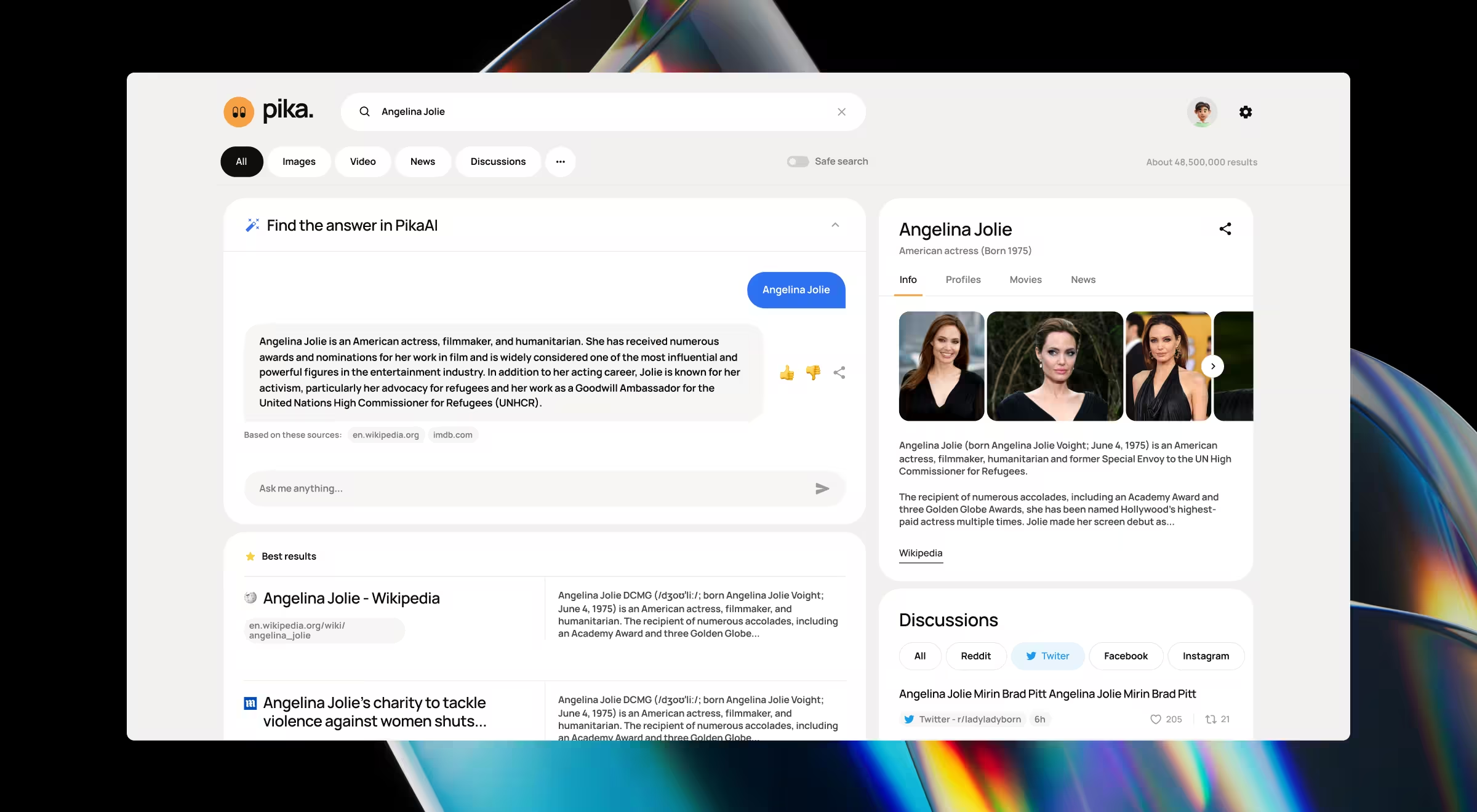
What we built:
- AI widget placed below the search bar for better visibility.
- Clean, familiar interface to eliminate interaction barriers.
- Visual emphasis and interaction cues to make each next step contextually explicit.
The redesigned platform helps users move from typing a query to engaging with AI with no second thoughts. The search process has become more responsive, with AI-assisted results appearing exactly when and where they’re needed.
2. Structure inputs to improve outputs
Model performance depends on the quality of user input, but most interfaces leave the user to figure out what the AI needs.
AI UX designers fix this by creating intentional input strategies through guided prompts, field-level constraints, contextual examples, and hybrid GUI.
💻 Case in point: Our collaboration with Accern.Rhea captures this AI UX pattern. We transformed a basic chat interaction into a multi-functional input layer.
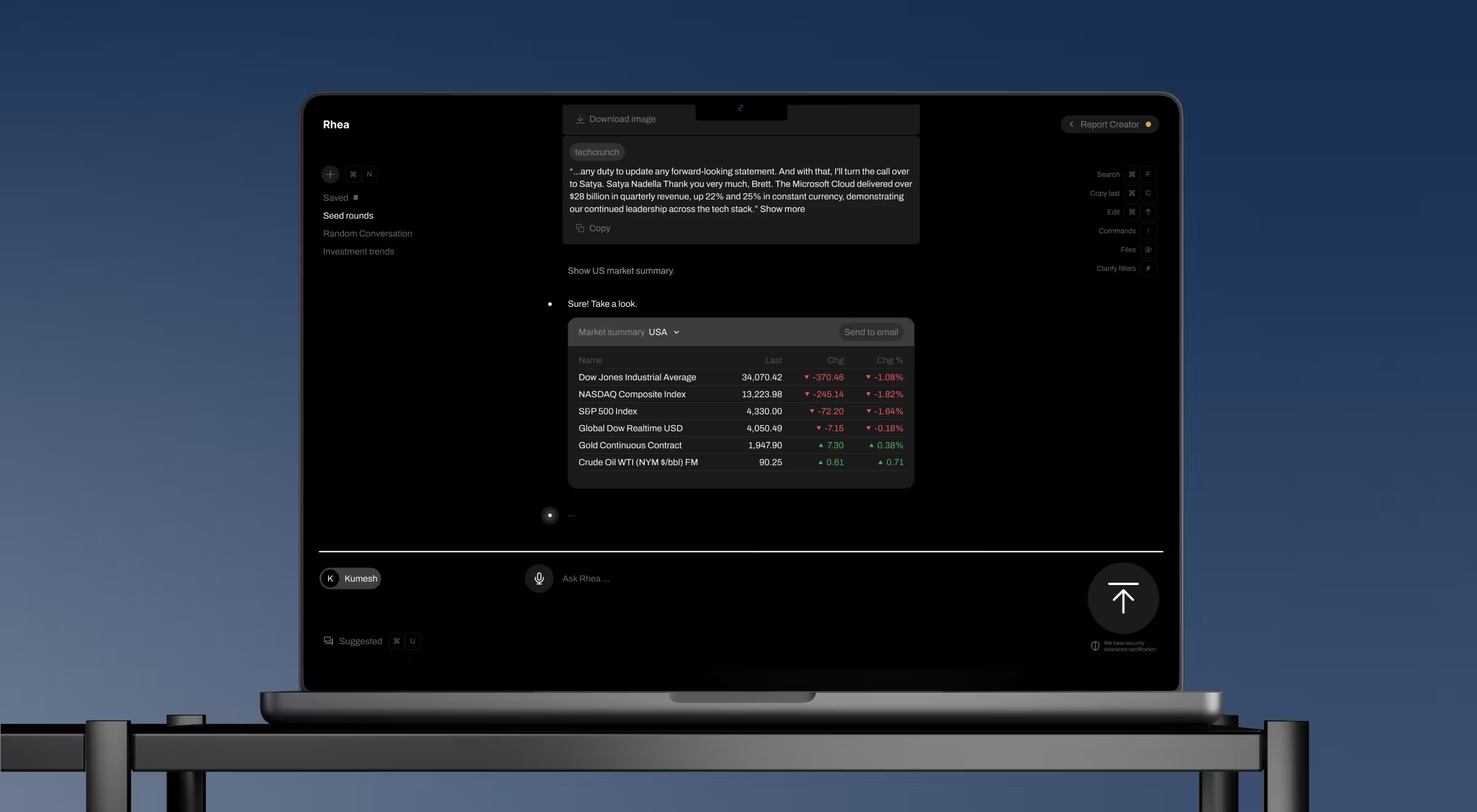
What we built:
- A unified input combining prompts, dataset selection (“Lenses”), and file management.
- A system that suggests clarifications when queries are vague and adapts UI (charts, references, controls) to user input.
- A command-like interface enabling alerts, scheduling, notifications, and workflow-specific actions.
The impact:
- More precise, actionable AI-generated insights
- A shift from a basic chatbot to a full-fledged research system
- Tangible product growth, contributing to over $40M+ raised and acquisition
3. Deliver explainability without overloading users
Users want to understand why the system responded the way it did. Still, no one’s excited to read a 500-word technical essay.
AI UX designers solve this by creating easy-to-digest explanations to clarify model behavior without slowing down the experience:
- short reasoning notes
- highlighted evidence or inputs
- confidence levels
- clear warnings when the model is uncertain
💻 Case in point: When Bacca AI team approached us, their product was already technically strong — an advanced AI-powered Site Reliability Engineering (SRE) platform with clear market positioning. The problem was in how the product conveyed its value.
For CEOs and CTOs, the platform’s real value was buried beneath layers of technical language and infrastructure-heavy UI. The system worked, but it didn’t communicate.
So we shifted the focus from how the system operates to why it matters.
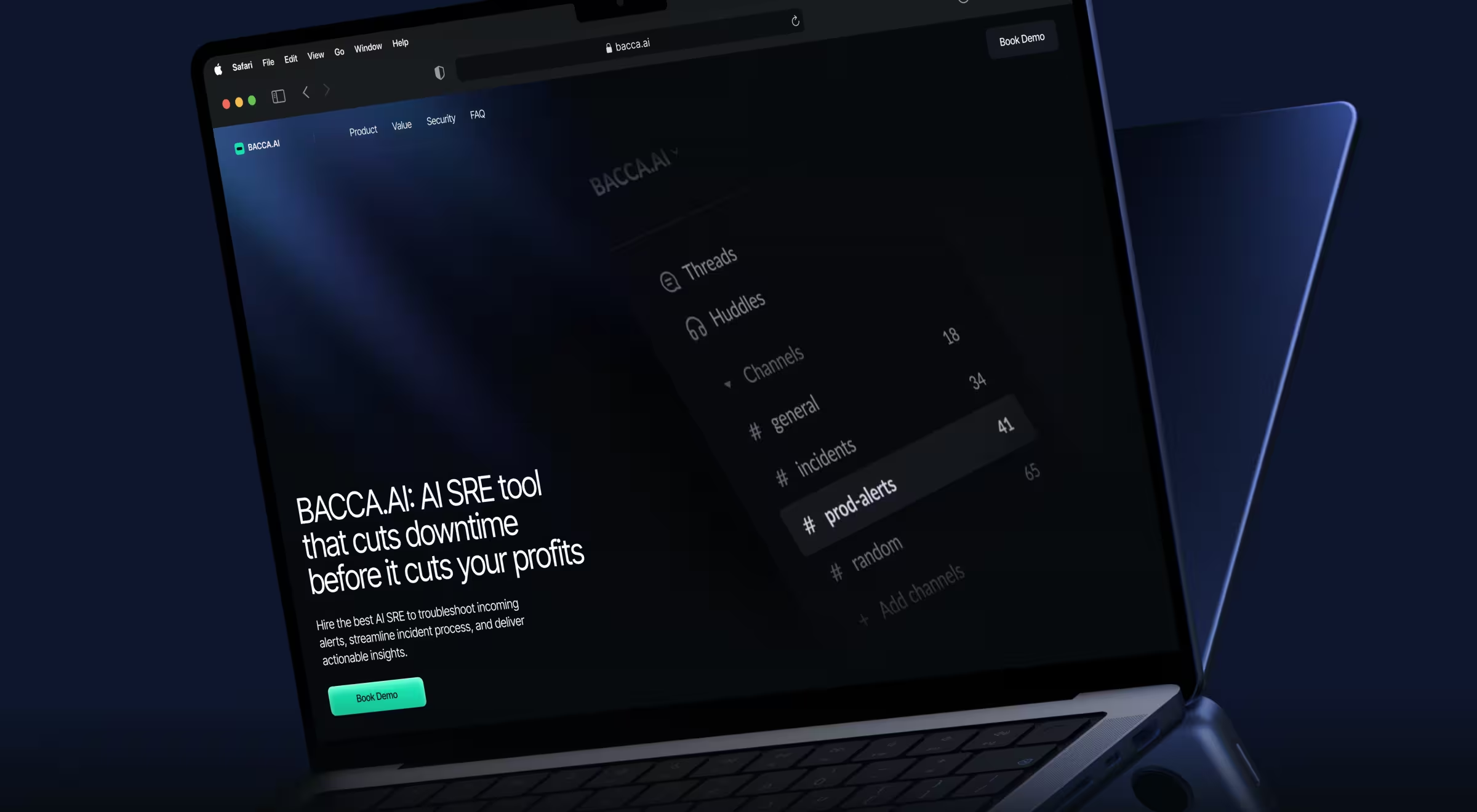
What we changed:
- Reframed technical processes as clear business outcomes
- Connected uptime to revenue protection, making the stakes immediately visible
- Built a structured narrative to guide users from incident to impact and then to resolution
The impact:
- System behavior becomes understandable for technical and non-technical stakeholders
- Users grasp why incidents matter and how the platform responds
- Trust increases as the product communicates value during high-pressure scenarios
4. Show value before commitment through proof-based UX
Proof-based UX means letting users experience value before asking them to commit. It can be achieved through preview states of core functionality or exposure to real use cases before signup or purchase.
When users see what the system can do specifically for them, trust crystalizes much faster and decisions require less effort.
💻 Case in point: DragonGC needed to win over enterprise legal teams in a high-stakes environment. While the platform exhibited strong performance, users couldn’t assess its value without committing first.
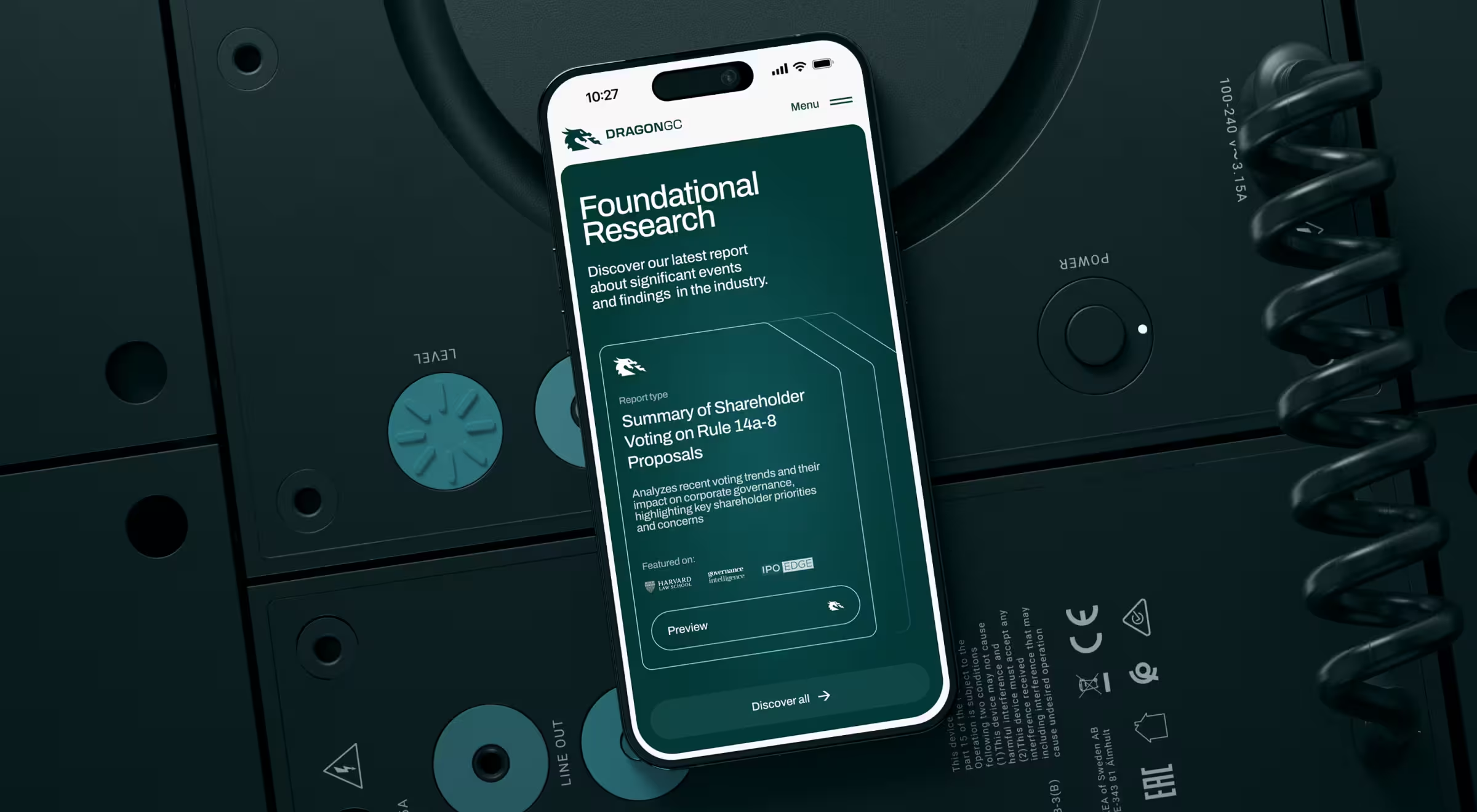
We introduced a Report Preview feature as a core part of the experience:
- Users can filter and explore a portion of the platform’s analytics before purchase.
- Product intelligence becomes tangible and relevant to their needs.
This approach captures a correlation between what the platform does and the outcomes users care about.
The impact:
- Users understand the platform’s value before making a decision
- Hesitation drops as the system proves itself through real output
- Interest becomes action faster due to visible, testable benefits
5. Replace the “chat bubble for everything” mentality with purpose-built interfaces
Chat digital transformation is real, but even the strongest chatbot UI examples show that chat isn’t a universal interaction model.
Mature AI products succeed because designers know when and how conversational UI and UX enhance understanding and when structured interfaces deliver faster, more trustworthy outcomes.
💻 Case in point: The VTnews.ai project illustrates this balance with precision. Conversational AI is used only where dialogue genuinely adds value, i.e., real-time Q&A, rapid political insights, and personalized follow-ups tailored to each story page.
.avif)
We framed the rest of the UI as a hybrid system with:
- Bias visuals for immediate comparison across perspectives
- Left-center-right breakdown for structured understanding of narratives
- Timeline to track how events evolve
- Analytics section for reflecting user behavior and content patterns
The impact: This hybrid information architecture drives adoption because every interaction matches the cognitive task. Users use chat when it serves them. They switch to structured UI when accuracy and speed matter more. That’s the hallmark of expert AI UX design.
Typical projects AI UX designers work on
AI UX designers don't just style chatbots. Their work spans four distinct product categories, each with its own interaction logic and trust requirements. Knowing which category your product sits in will help you scope the role correctly and avoid hiring a generalist for a specialist problem.
1. Chat products and conversational AI
These are the products where dialogue is the core interface. Think of customer support copilots and Q&A layers over domain knowledge. Here, the designer's job is to decide when chat works and when it actively gets in the way.
What they design:
- Prompt scaffolding to guide users from vague intent to productive questions
- Hybrid states that fall back to GUI when the task is structural
- Source attribution and confidence indicators on every response
- Handoff patterns between AI and human agents without breaking context
2. Internal AI tools for expert users
Products built for analysts, operators, researchers, and engineers who use the system every day. Expert users tolerate complexity but punish unreliability. The designer's job is to make powerful AI trustworthy enough for people whose decisions have consequences.
What they design:
- Multi-functional input layers that combine prompts, datasets, files, and commands
- Workflow-specific actions (alerts, schedules, notifications) native to the user's domain
- Evidence trails so every AI output can be traced to its source data
- Query clarification patterns that nudge users when inputs are ambiguous
3. Multimodal interfaces
Products where input and output cross formats — text, images, voice, video, files, sensor data. The designer's challenge is helping users understand what the system can accept, what it's processing, and how to interpret results that combine media types.
What they design:
- Input affordances that signal what each modality does (drag-drop zones, voice indicators, file-type prompts)
- Output composition rules so mixed-media results feel intentional
- Progressive disclosure for long-running or streaming generations
- Cross-modal confidence cues (e.g., "high confidence on text, low confidence on image")
4. AI-enhanced SaaS and enterprise platforms
Established B2B products that are adding AI features on top of an existing workflow. The designer's job is to integrate AI without breaking the mental model users already have, and to communicate AI's value to stakeholders who won't use the product daily.
What they design:
- Proof-based previews that let buyers experience AI value before committing
- Translation layers that reframe technical AI behavior as business outcomes
- Role-based surfaces (operator UI vs. executive dashboard) driven by the same AI
- Graceful defaults when AI features are disabled, offline, or low-confidence
Once you know which of these four categories your product falls into, the next step is checking whether a candidate's portfolio actually reflects that work. Most AI UX designers specialize in one or two categories, so the patterns you see in past projects are a stronger signal than job titles or years of experience. Use the table below as a shortcut when reviewing portfolios and briefing recruiters.
7 mistakes teams make when hiring AI designers
The fastest way to waste money on AI? Hire the wrong designer with limited technical expertise and questionable collaboration skills.
These mistakes show up in almost every company who struggles to deliver a consistent AI-powered experience. Good news, you can avoid them with a strategic hiring lens.
To help you evaluate candidates more effectively, our team has put together a checklist outlining common hiring mistakes, how they show up in practice, and how to test for them when assessing potential design partners.
Use it as a guide when interviewing candidates and looking through portfolios.
Partner with the right team to build AI products users trust
A great AI product is the result of a smart product strategy combined with AI expertise.
That’s why choosing the right partner matters. When you work with Lazarev.agency, you collaborate with a team who has a proven track record of developing industry-defining AI experiences.
If your AI product feels powerful but unpredictable, the issue is how users interact with it. And that's exactly what an AI UX designer fixes.
Get in touch with us to see exactly where your product is losing users and how to fix it.

.avif)