

"We have designed AI-first products since 2017, and the direction has held the whole time: we once drew the right screen for the average user; now we define the rules that let software build the right screen for one person, in one moment. The craft moves up a level, it does not disappear."
{{Anna Demianenko}}
For most of the web's history, a product team designed a finite set of screens and every user walked the same path through them. Generative UI breaks that assumption. The model reads what a person asked for, checks what data is available, and composes the interface on the spot: a chart when a chart answers the question or a form when input is needed.
What we witness now is no longer a lab demo. Google now ships generative interfaces inside Gemini and Search. This guide covers what generative UI design is, the patterns behind it, the products already using each one, and how our team at Lazarev.agency has designed the adaptive, widget-driven foundations these systems depend on.
Key takeaways
- Generative UI moves the unit of design from the screen to the rule set. Designers define components, data, and constraints. The model decides which interface to render for each request.
- The pattern already runs in shipping products. Google's Gemini and Vercel's AI SDK each generate interface elements at runtime.
- Adaptive, component-based design systems are the prerequisite. A model can only compose interfaces well when the underlying widgets, states, and rules are designed to be recombined.
- Human judgment moves to outcomes and guardrails. The work becomes defining goals, edge cases, and quality limits the AI operates within, a method Nielsen Norman Group calls outcome-oriented design.
Generative UI vs static UI: what changes
Traditional interface design produces a fixed artifact. A designer draws the dashboard, the engineer builds it, and every user sees the same layout until the next release.
Generative UI design keeps the components but hands layout and selection decisions to a model at the moment of use. The distinction matters because it changes who makes the last decision about what a user sees.
⛳ Side note: Two meanings travel under the same term. Design-time generative UI uses AI to produce screens or code that a human then reviews and ships. Runtime generative UI produces the interface live, per request, with no human in the loop between prompt and pixels. Both are covered below.
What this table illustrates is not that one replaces the other. Most products will run a stable, hand-designed shell around generative regions, the way a chat product keeps a fixed navigation frame and lets the response area render whatever the answer needs.
The data behind the move: how generative AI is changing the industry
Generative UI is arriving on the back of two forces: the money flowing into generative AI, and long-standing evidence that people want interfaces tuned to them.
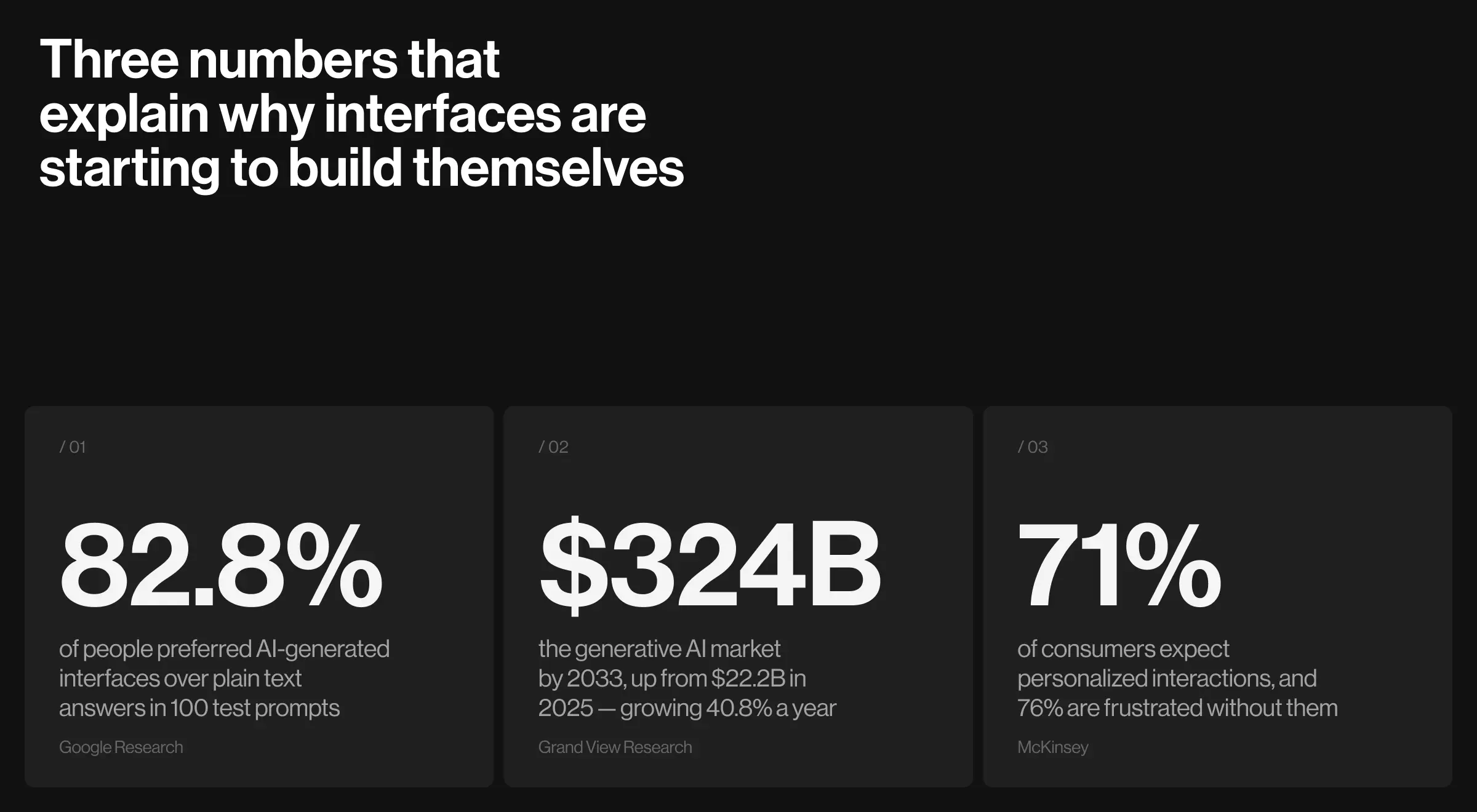
Consider the numbers below and pay special attention to the first point, as it captures the direct impact of generative interfaces.
- AI-generated interfaces won human preference 82.8% of the time over standard markdown answers in a 2025 Google Research study, which used Gemini 3 Pro to generate live HTML, CSS, and JavaScript across 100 test prompts. The same study found gen UI was at least comparable to expert-built human designs in half of the cases.
- The generative AI market is projected to grow from $22.2 billion in 2025 to over $324 billion by 2033, a 40.8% compound annual growth rate, per Grand View Research.
- 71% of consumers expect personalized interactions, and 76% get frustrated when they do not get them, according to McKinsey. Companies that lead on personalization generate 40% more revenue from it than average performers.
The six generative UI design patterns, mapped
Generative UI is a family of patterns that differ by how much of the interface the model creates and when. The table maps each pattern to a product that ships it and a Lazarev.agency project that demonstrates the design foundation it rests on.
Each pattern is detailed below with how it works, the product that proves it in the market, and the design decisions that make it usable.
Pattern 1: prompt-to-component generation
Prompt-to-component generation is the pattern where a model picks from a library of pre-built interface components and fills them with data. It is the most production-ready form of generative UI because the designer still controls every component the model can use.
Global example: Vercel's AI SDK is the reference implementation. Released in March 2024, it lets developers connect a model's tool calls to React Server Components. When the model decides a weather question is best answered visually, it invokes a weather tool whose render function streams an actual weather widget to the screen. As Vercel put it, developers "move beyond plaintext and markdown chatbots to give LLMs rich, component-based interfaces." The model chooses, and the designer defines what it can choose from.
Practical insight from Lazarev.agency's portfolio: Our work on Accern, an AI research tool for financial analysts, built exactly this kind of hybrid. Rhea pairs a prompt-driven input with dynamic widgets and graphics in a split-screen research-to-report workflow, so the interface reshapes around what the analyst asks.

The design patterns became the catalyst that carried Accern from Series B to an eight-figure acquisition, with $40M+ raised over the partnership. That outcome came from treating widgets as a composable vocabulary the product could assemble on demand, the same principle prompt-to-component systems rely on.
Pattern 2: intent-matched widgets
Intent-matched widgets is the pattern where the model reads the intent behind a query and returns the single component whose format best answers it. The interface changes shape to follow what the user is trying to do, so the same product surface answers very different questions.
Global example: Perplexity is the clearest consumer example. Ask about the weather, a stock, a live game, or a product, and its answer engine returns the matching widget, a forecast card, a price chart, a box score, or shopping cards.
Practical insight from Lazarev.agency's portfolio: We designed this behavior into Pika AI, a next-generation AI search engine, before it became a headline pattern. Pika's interface places an AI chat directly under the search bar and runs a widget system that matches the answer format to the query intent.

The design gave Pika a results layout that stays consistent across mobile and desktop while the content adapts to each question. Designing the mapping from intent to component is the hard part of this pattern, and it is a design problem before it is a model problem.
Pattern 3: full-experience generation
Full-experience generation is the pattern where the model produces an entire interface as live code, going beyond any single component in a library. This is the most ambitious form of generative UI and the one Google's research measured directly.
Global example: In a 2025 Google Research study, Gemini 3 Pro generated complete HTML, CSS, and JavaScript interfaces for any prompt, and human raters preferred them over markdown answers 82.8% of the time. The system relies on three ingredients: tool access for images and search, detailed system instructions with examples, and a post-processing pass. For designers, the takeaway is that the instructions and examples fed to the model are the real deliverable.
Practical insight from Lazarev.agency's portfolio: VTnews.ai, an AI news platform built with Patrick Bet-David, shows the design thinking full-experience generation demands. VTnews scans over 130,000 sources, then composes each topic into a unified story view: an AI summary, left, center, and right theses, a visual bias scale, and a configurable timeline, assembled per story rather than dropped into a fixed template.

The platform onboarded 85,000 new users in its first month, and 90% of users said it helped them avoid information bubbles. When the interface is generated per topic, the design work is defining the parts and the rules that hold them together.
Pattern 4: agentic tool-state UI
Agentic tool-state UI is the pattern where the interface reflects what an AI agent is doing, step by step, and renders controls for the user to inspect, approve, or redirect the work. It matters because agents that take multiple actions need an interface that shows the work in progress, so a person can supervise a plan as it unfolds.
Global example: CopilotKit, the frontend stack behind the AG-UI protocol, is the leading open example. Paired with LangGraph, it renders an agent's tool calls and intermediate state as live components inside the chat, so a user watches a plan form, sees each tool run, and can step in. This turns an opaque agent loop into a surface a person can supervise.
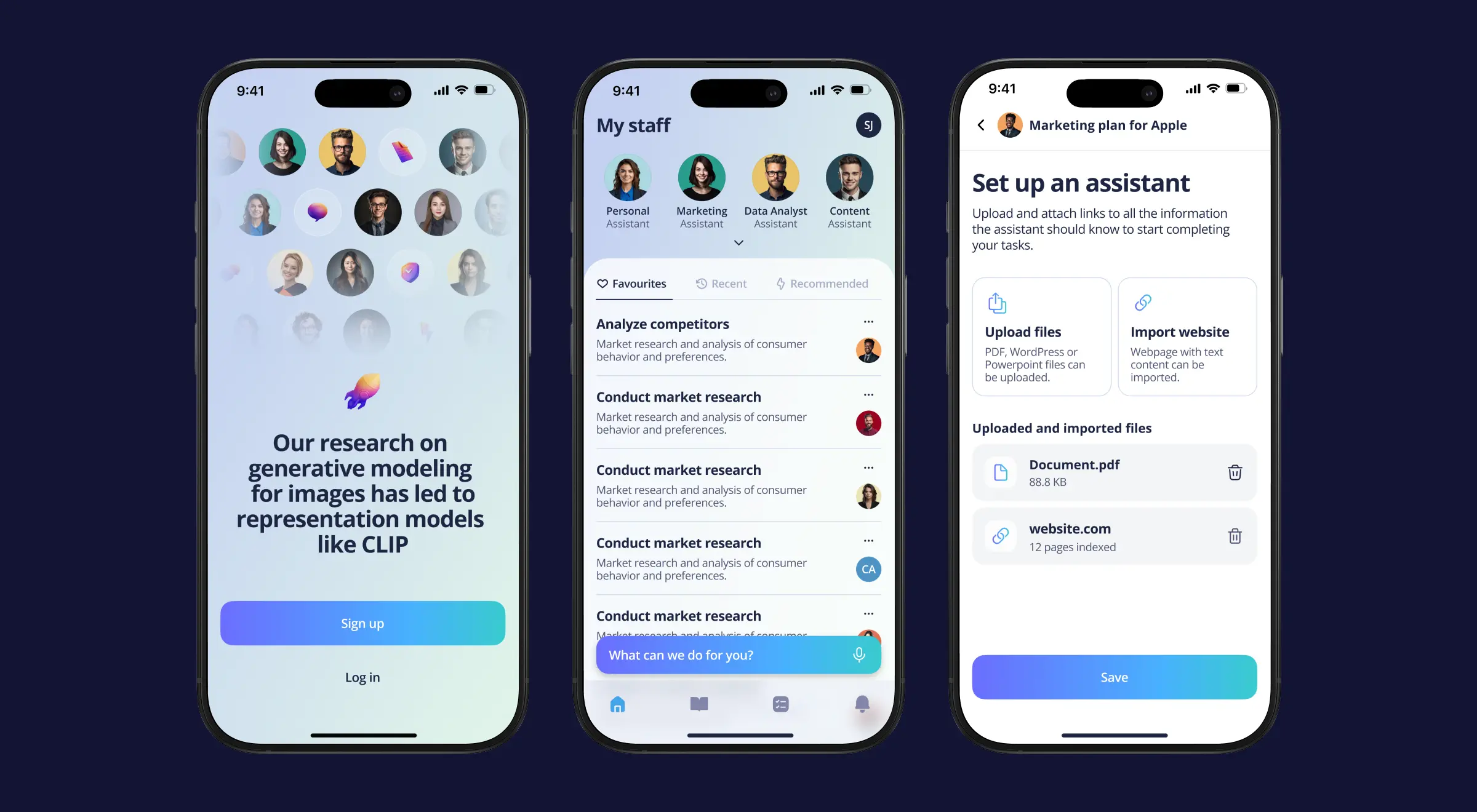
Practical insight from Lazarev.agency's portfolio: Two of our projects show the design side of agentic interfaces. For Suits.ai, a platform where companies build branded AI agents, we designed an assistant dashboard that centralizes agent management and turns raw AI output into client-ready reports with sources, so the work an agent produces arrives in a reviewable form. Suits.ai raised $1M after the MVP launch.
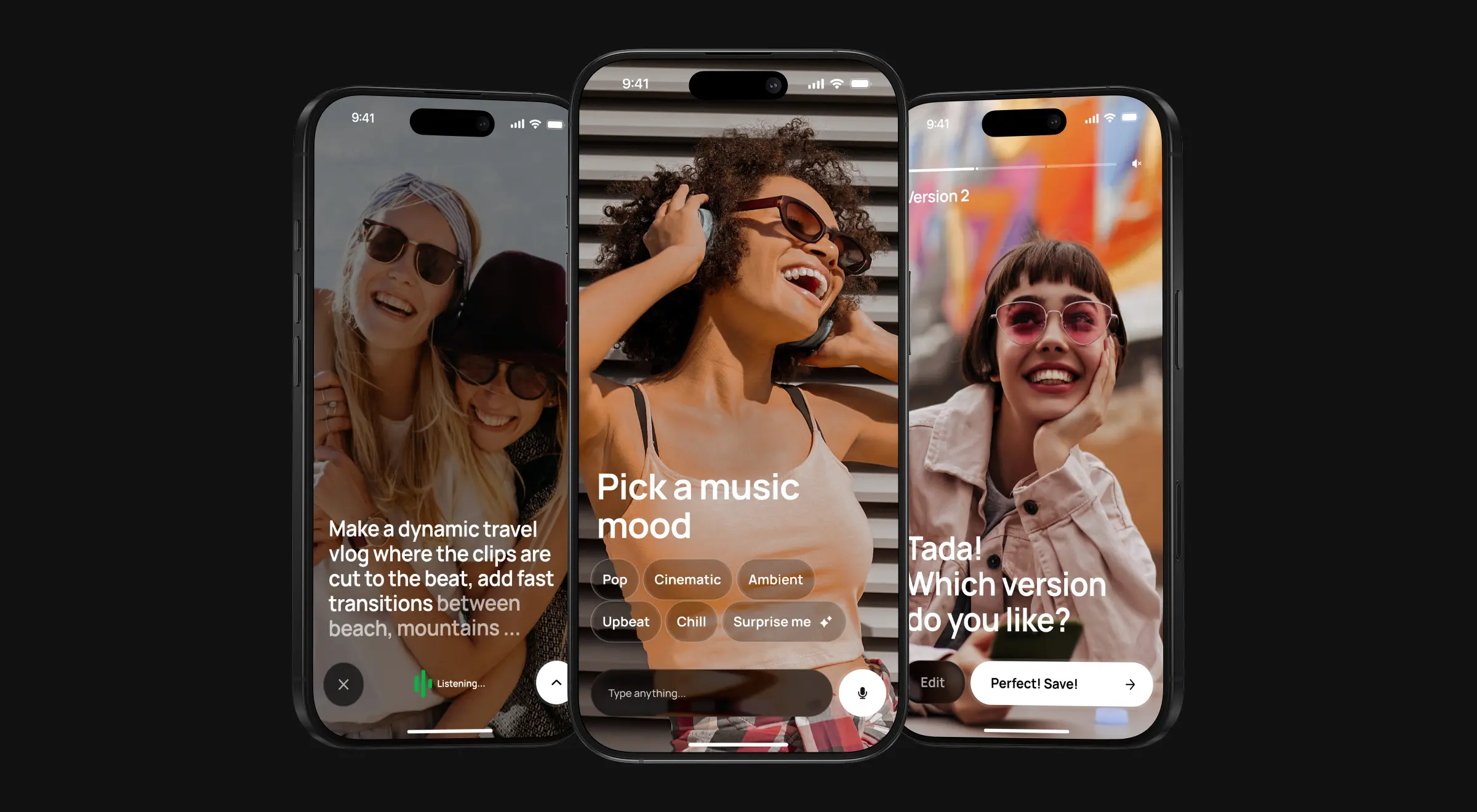
For Elva, a voice-first agentic video editor, we designed an expressive persona that communicates the AI's state through a voice-only, zero-tap interface. Both cases make the same point: an agent needs an interface that narrates its actions, and that narration is a design decision.
Pattern 5: context-adaptive interfaces
Context-adaptive interfaces reshape the same product for different users, roles, or situations without generating everything from scratch. This is the closest pattern to classic adaptive UI, and it is where personalization data does the most work. It is also the pattern with the longest track record, since forms and dashboards have adapted to user type for years; generative models widen how far that adaptation can go.
Adaptive interfaces respond to signals such as account type, permissions, device, or prior behavior, showing a corporate onboarding path to one user and an individual one to another. The design challenge is keeping the product coherent while its surface changes.
Practical insight from Lazarev.agency's portfolio: On EllipX, a European crypto-finance platform, we built dynamic beneficiary forms that adapt to whether the account is corporate or individual, alongside a modular, widget-based dashboard users can arrange.
On Dollet Wallet, we ran global UX research with 1,600 participants across three user groups, then designed personalized quick actions, navigation, and real-time transaction widgets so the same wallet serves a first-time holder and a professional trader.
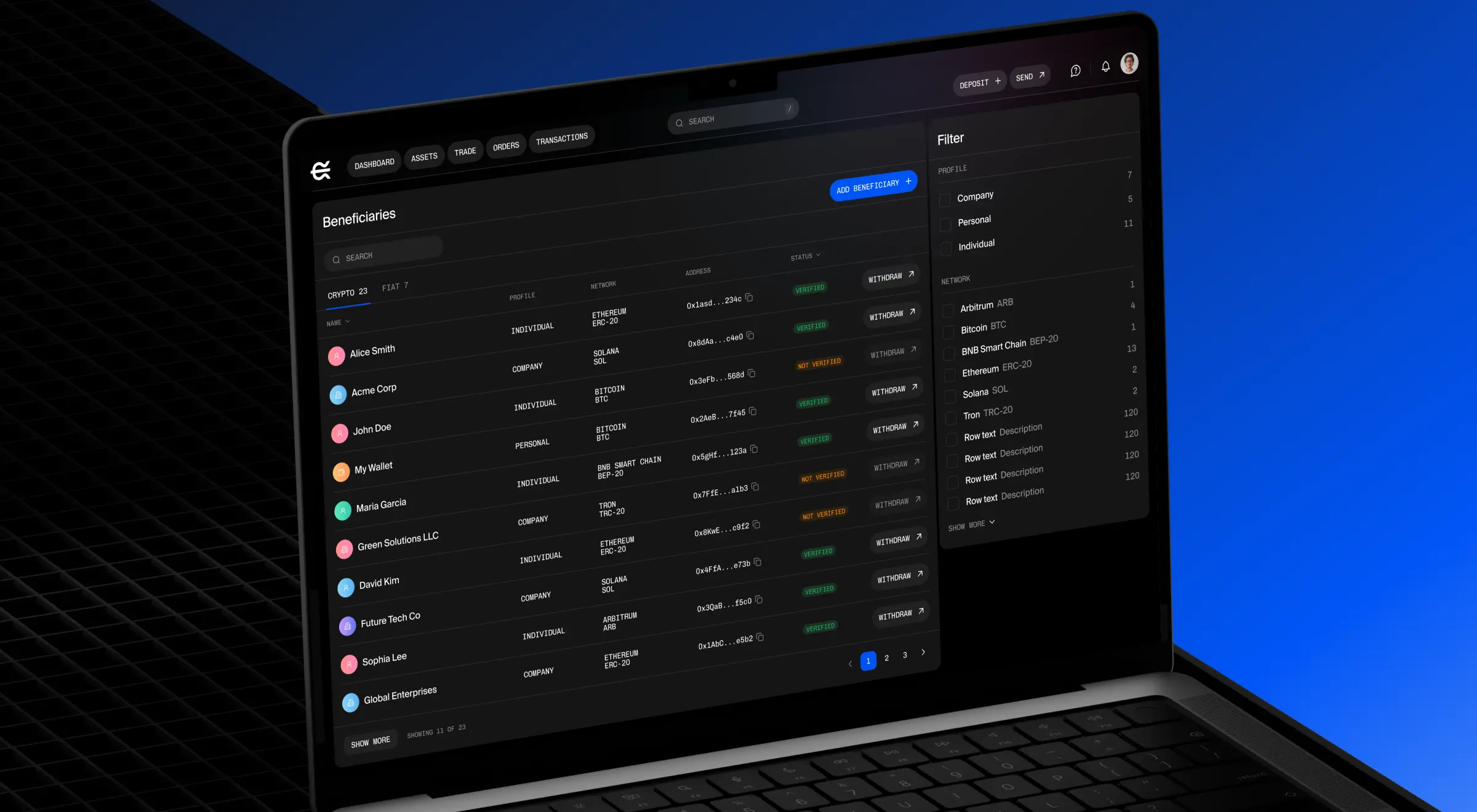
Both products treat the interface as a set of parts recombined per user, which is the mental model generative UI scales up. Context-adaptive design is where most teams should start, because it delivers personalization value on top of infrastructure they already understand.
Pattern 6: design-time generation
Design-time generation uses AI to produce screens, prototypes, or production code that a human reviews before it ships. It is generative UI aimed at the design and build process rather than the end user, and it is the version most product teams have already touched.
Global example: Vercel's v0 is the best-known tool. A designer or developer describes an interface in natural language, and v0 returns working React and Tailwind code, ready to edit and deploy. Figma's AI features and tools like Galileo sit in the same category. The distinction from runtime generative UI is the human checkpoint. A person still decides what ships, which keeps quality control familiar while compressing the path from idea to prototype.
Practical insight from Lazarev.agency's portfolio: Design-time generation is only as good as the system it draws on, which is why our design-system work matters here. Across projects like Dash and Flikair, we built unified design systems of shared components, patterns, and rules spanning desktop, tablet, and mobile.
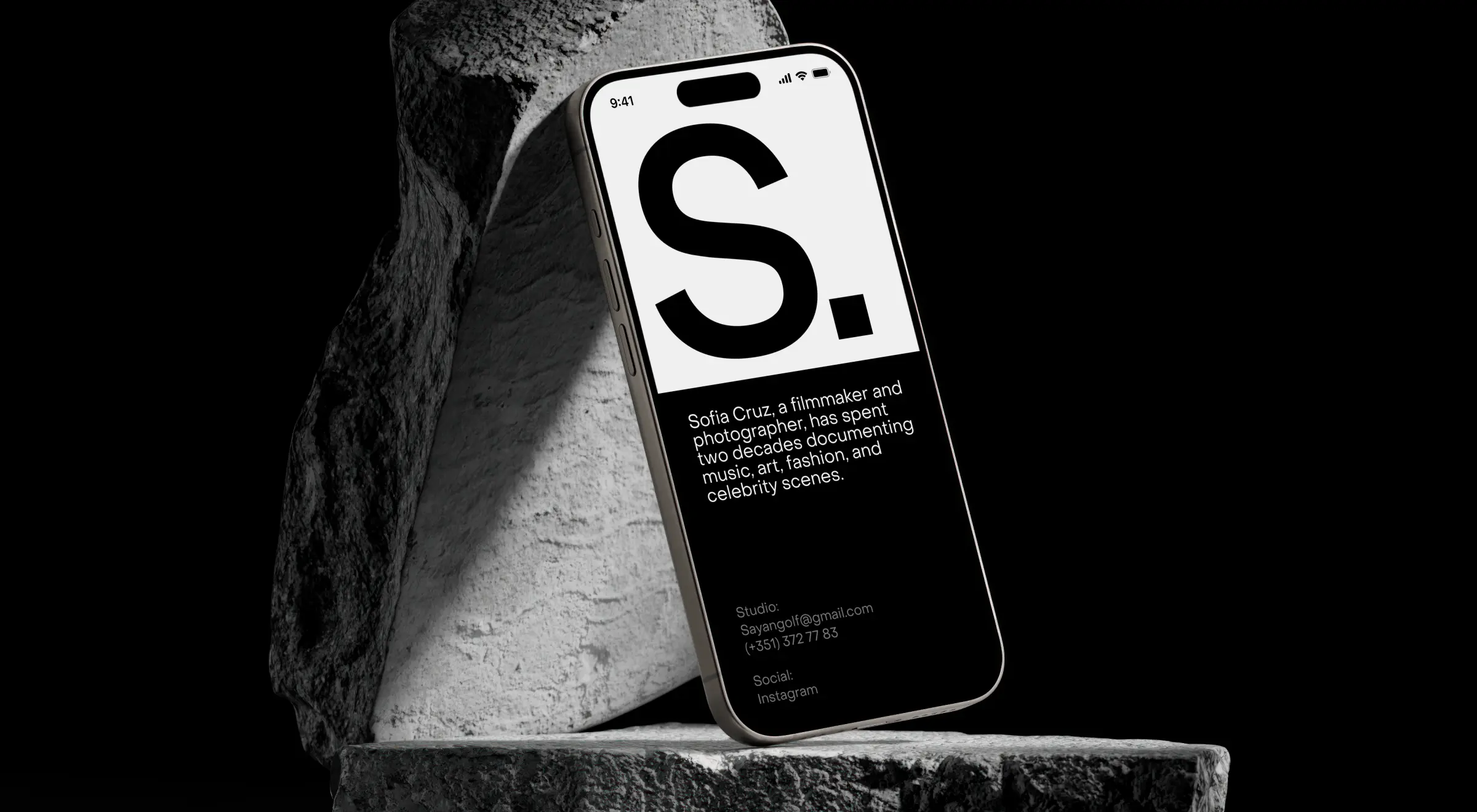
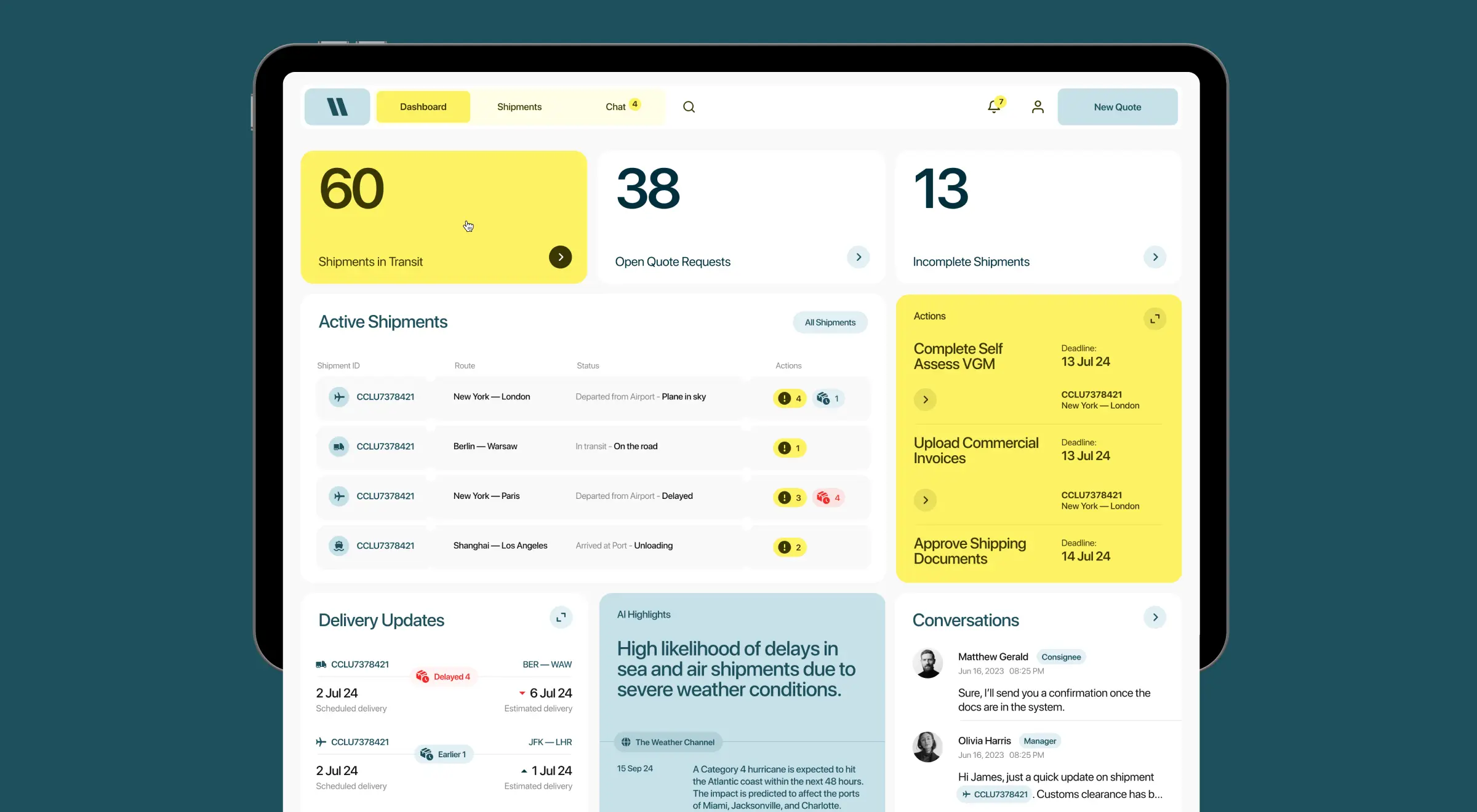
A documented component system is what lets any generator, human or AI, assemble new screens that still look like the product. Before a team leans on AI to generate interfaces, the components and rules it will generate from have to exist and be consistent.
Designing the rules the model builds from
Every pattern above leads to the same point: designers stop drawing finished screens and start building the components and rules a model operates within. Nielsen Norman Group calls this outcome-oriented design: you set the user goals and the constraints the model works within, then let it compose the discrete interface. The job moves from drawing screens to defining outcomes.
This reframing raises the stakes on the parts a model cannot invent well: the component library, the constraints, the failure states, and the quality bar. A few resources anchor this work: Google's People + AI Guidebook, Microsoft's Human-AI Interaction guidelines, and the Shape of AI pattern library. Get the foundations right and the generated output stays coherent; leave them vague, and it drifts.
A few principles hold across the projects we have shipped:
- Design the component vocabulary first. A model composes well only from parts that were built to recombine. Inconsistent components produce inconsistent generated screens.
- Constrain the output space. Decide what the model is allowed to render before deciding what it should. A bounded set of components fails more predictably than open-ended generation.
- Keep a stable frame. Wrap generative regions in a fixed navigation and layout shell so users keep their bearings while the content adapts.
- Design the failure states. A generated interface will sometimes miss. The empty, error, and low-confidence states are core design deliverables in a generative product.
"Seasoned gen UI teams must have a disciplined design system. The AI is only ever as coherent as the parts you give it to work with."
{{Kirill Lazarev}}
Build the foundation generative UI runs on
Generative UI design moves the work from drawing screens to defining the components, data, and rules a model assembles them from. The products already shipping it rest on the same base: a disciplined, adaptive, component-driven design system that a model can compose without breaking the product's logic or brand.
That base is where an AI UX design partner earns its keep. At Lazarev.agency, we have spent years designing the widget systems, adaptive dashboards, and prompt-driven interfaces behind AI products that went on to raise funding and get acquired. Whether you are adding a generative region to an existing product or designing an AI-native one from the start, the groundwork decides the ceiling.
If you are planning a generative or AI-driven interface, start a conversation with our team.




.webp)